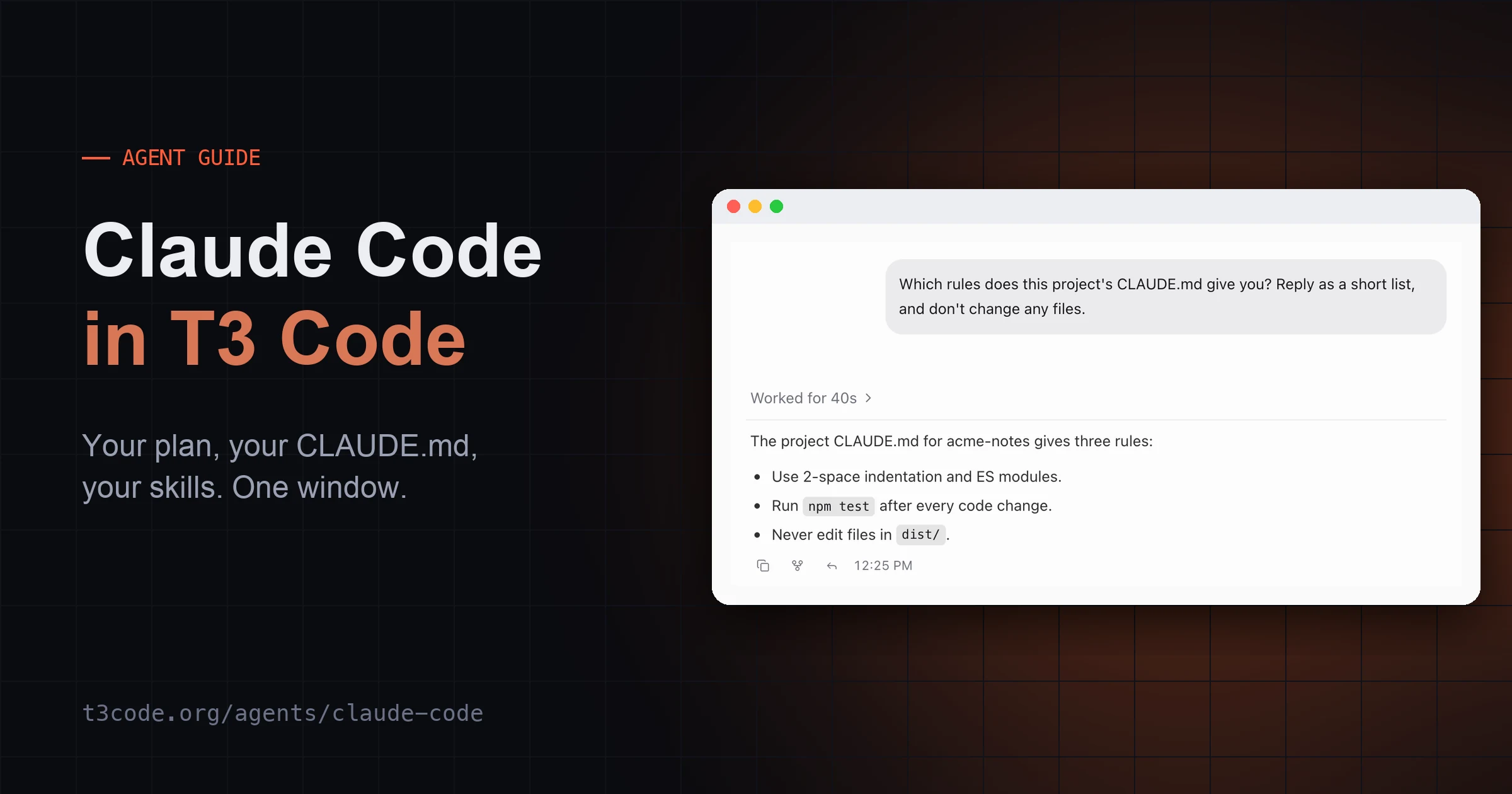
Short version: install Claude Code, sign in once with claude auth login, and T3 Code picks it up. Everything you set up for Claude Code works here too, including your plan, CLAUDE.md, skills, plugins and MCP servers. T3 Code adds threads, diffs, approvals, worktrees and access from your phone on top.
Set it up in 3 steps
1. Install Claude Code and sign in
On the machine that runs T3 Code, install Claude Code, then:
claude auth loginSign in with your Claude account (for example Pro or Max) in the browser window it opens. You can also click Sign in next to Claude on T3 Code’s Welcome page, which types this command for you.
2. Check the status in Settings → Providers
Click the gear icon at the bottom of the sidebar, then Providers → Claude:
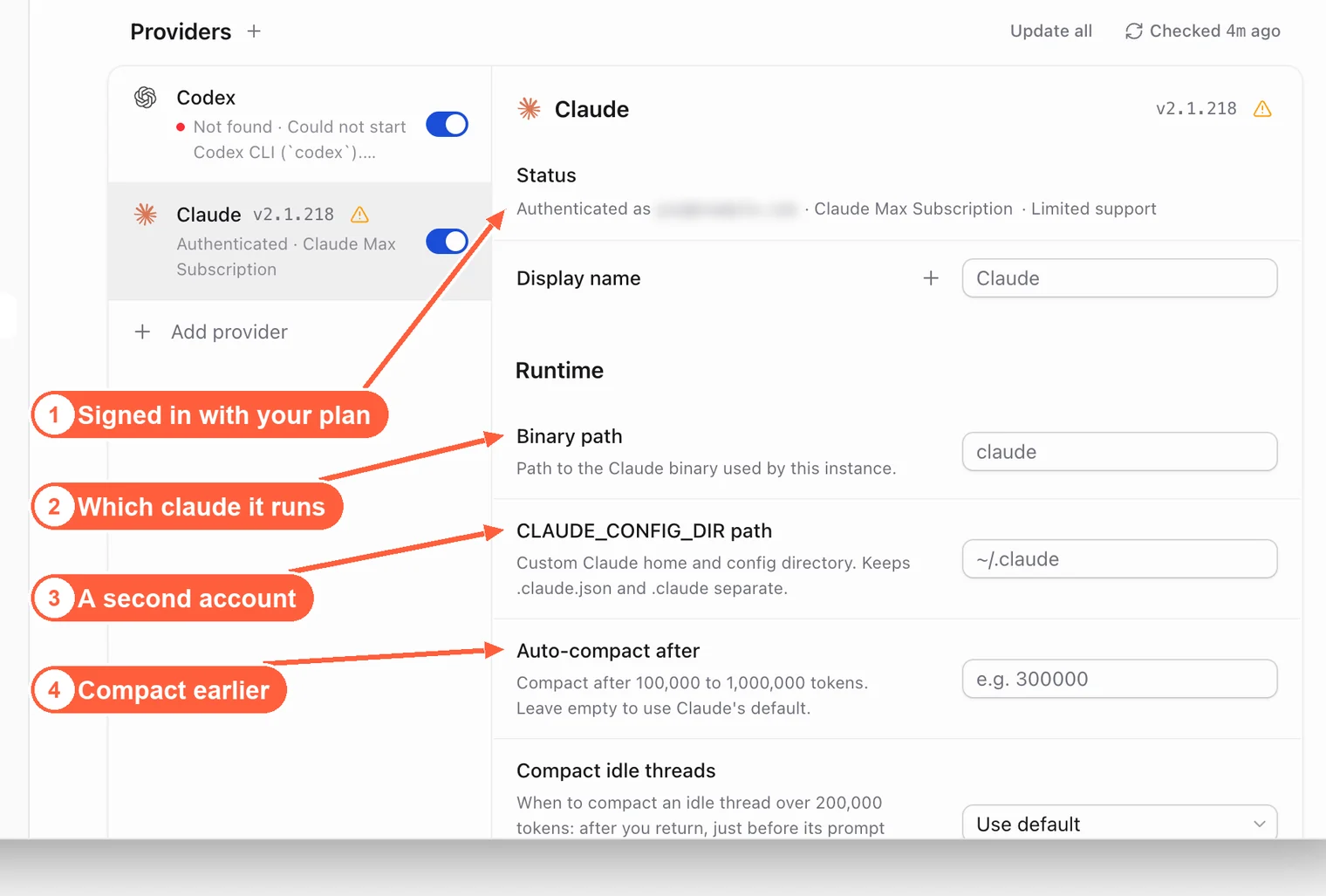
claude program it runs. ③ CLAUDE_CONFIG_DIR: point a second instance at another account. ④ Auto-compact after: summarize long threads sooner. The email is blurred by T3 Code itself.Done when: the Claude card says Authenticated. A ⚠ next to the version means your Claude Code is older than this T3 Code release wants. Click it, then Update now.
3. Pick a Claude model and start a thread
In the message box, click the model name (for example Sonnet 5) and choose a Claude model and reasoning level. Every model your Claude Code offers is listed, and you can add others under Models → Add custom model.
CLAUDE.md, skills and slash commands
T3 Code loads Claude Code’s user, project and local settings, so your setup carries over:
CLAUDE.md(in the project or.claude/) and your user-level memory are read as usual.- Skills come from your Claude config folder (
~/.claude/skills), the project’s.claude/skillsand any enabled Claude plugins. - Slash commands such as
/compactand/clearwork as in the CLI.
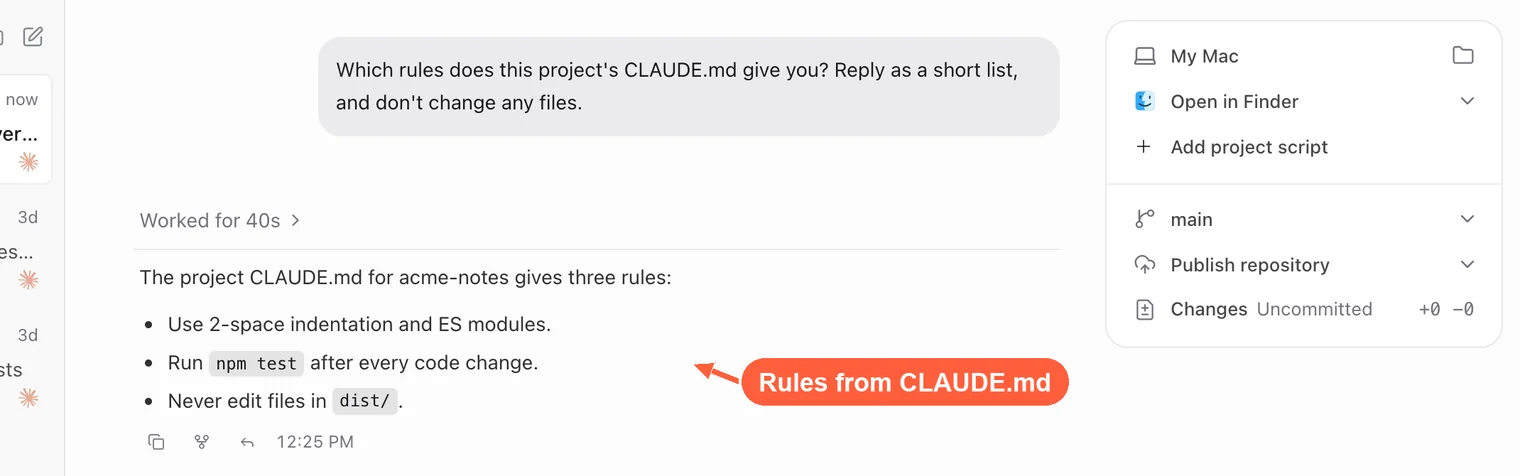
Here, Claude reads the demo project’s CLAUDE.md without being told where it is:
Type $ to pick a skill. Project skills are labelled so you can tell them apart:
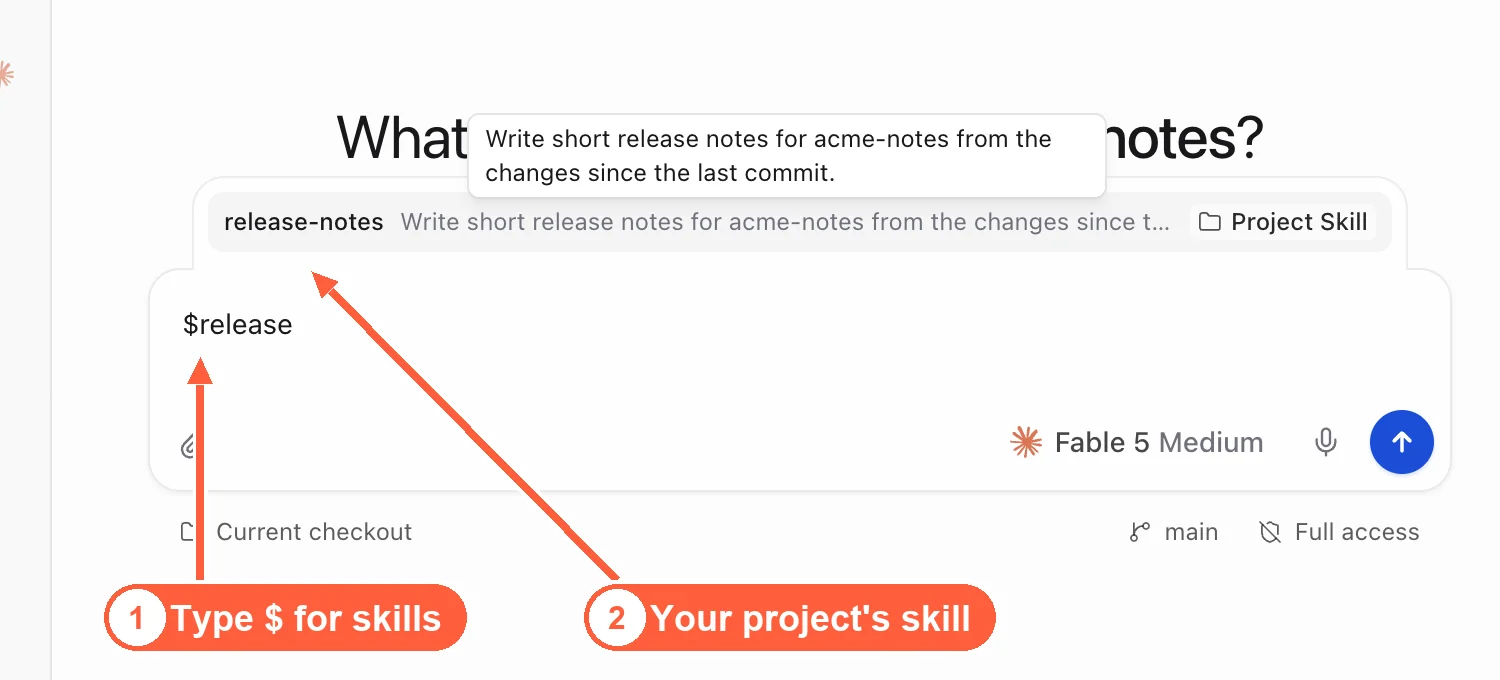
$ and a few letters. ② A skill from the project's .claude/skills folder, marked Project Skill.Tips:
- Type
/for slash commands. Skills appear there too, unless you turn that off in Settings → Chat. - Added or changed a skill, plugin or MCP server? Open the command palette (Cmd/Ctrl + K) and run Restart agent session, so the next message picks it up.
- Skills marked
disable-model-invocationmust be sent one per message. - If two skills share a name, the one in your Claude config folder wins over the project’s.
Permission modes with Claude
Each thread has a permission mode. Click it under the message box:
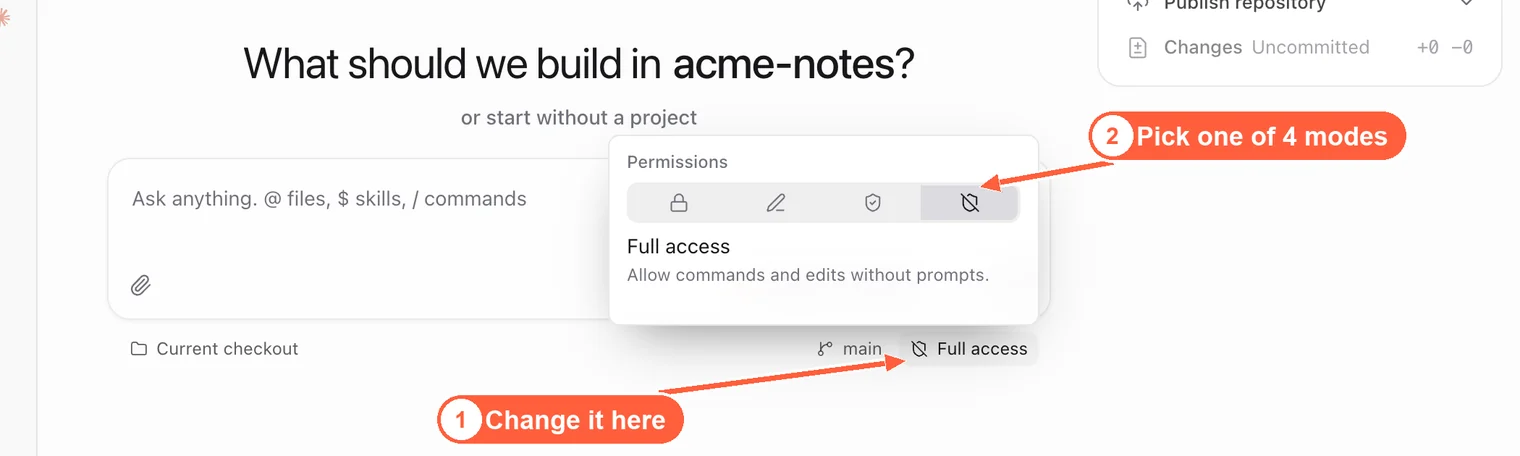
| Mode | What Claude does |
|---|---|
| Supervised | Asks before every command and file change. Best while you’re learning |
| Auto-accept edits | Edits files freely, asks before commands |
| Auto | Uses Claude Code’s own auto mode: routine actions run, risky ones ask |
| Full access | Runs without asking. This is the default for new threads |
Claude specifics:
- In Full access, your own Claude settings can still require approval or block dangerous deletions.
- Auto isn’t available if
disableAutoModeis set in your Claude settings. - While an approval is waiting, typing a reply declines it and sends your message to Claude as feedback.
- To change the default for new threads, go to Settings → Threads → New threads → Permissions.
Long conversations and usage limits
- Compact by hand: send
/compact. - Compact sooner: set Auto-compact after (100,000 to 1,000,000 tokens) in the Claude settings.
- Idle threads over 200,000 tokens: by default a Compact chip appears next to Send when you come back after Claude’s prompt cache has expired. That’s about an hour on a subscription, or 5 minutes with an API key, Bedrock or Vertex. Change this under Settings → Providers → Advanced → Compact idle threads.
- Hit a usage limit mid-turn? T3 Code shows the limit window and when it resets. Claude holds the turn until the reset, or you can stop it and resume later.
- See Claude’s task list: add the variable
CLAUDE_CODE_ENABLE_TODO_TOOLS=1under the Claude instance’s Environment → Variables.
More Claude settings
Scroll down in Settings → Providers → Claude for the advanced options:
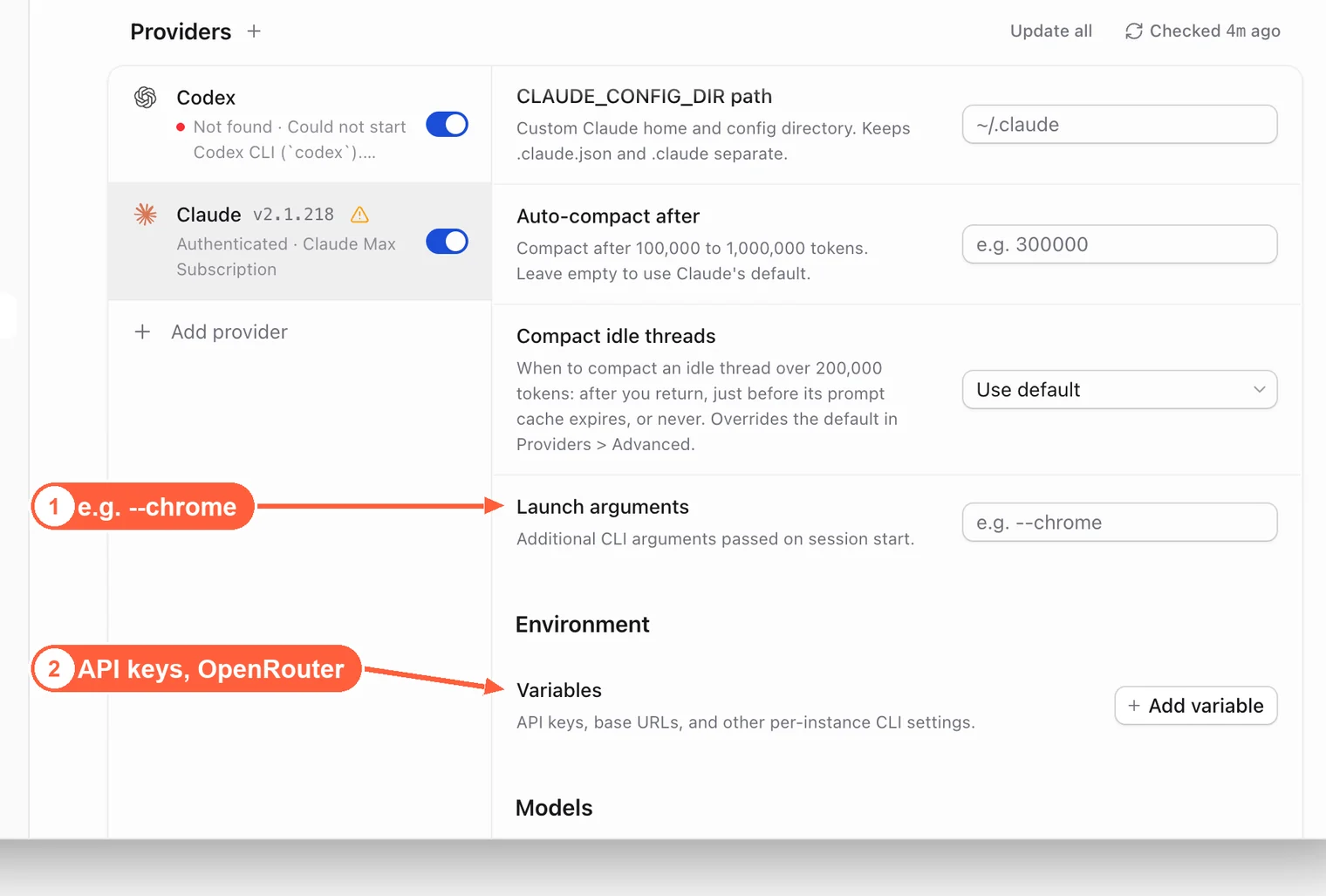
--chrome. ② Environment → Variables: API keys, endpoints and feature flags for this instance.- Claude in Chrome: add
--chrometo Launch arguments. It applies to new sessions, and needs a direct Anthropic login plan. It doesn’t work with API keys,setup-token, Bedrock, Vertex or WSL. - API keys and endpoints go in Environment variables, not Launch arguments. Mark keys as Sensitive.
- MCP servers that need a sign-in: click Sign in on the notice in the thread, approve in your browser, then paste the final page’s address back into T3 Code with Finish sign-in.
Two Claude accounts (work and personal)
Give the second account its own config folder and sign in there:
mkdir -p ~/.claude_personalCLAUDE_CONFIG_DIR=~/.claude_personal claude auth loginThen go to Settings → Providers → Add provider → Claude and set CLAUDE_CONFIG_DIR path to ~/.claude_personal. Leave it empty on your main instance.
- Use
CLAUDE_CONFIG_DIR, notHOME, so your system keychain keeps working. - An existing thread can only switch between Claude instances that share the same config folder.
Use Claude Code with OpenRouter
Add a separate Claude instance with its own config folder, for example ~/.claude_openrouter. Run /logout first if that folder has a cached Anthropic login. Then add these Environment variables:
| Variable | Value |
|---|---|
ANTHROPIC_BASE_URL |
https://openrouter.ai/api |
ANTHROPIC_AUTH_TOKEN |
Your OpenRouter API key (mark Sensitive) |
ANTHROPIC_API_KEY |
Leave it explicitly empty |
Models that aren’t listed can be added under Models → Add custom model. Your normal subscription instance stays as it is.
Troubleshooting
| Problem | Fix |
|---|---|
| Not found | Claude Code isn’t on the server machine, or T3 Code can’t see it. Run which claude there and paste the path into Binary path. This is common with nvm |
| Not authenticated | Run claude auth login on the machine that runs T3 Code |
| ⚠ Limited support | Your Claude Code is older than T3 Code expects. Click the ⚠, then Update now |
| A skill doesn’t show up | Check it’s in ~/.claude/skills or the project’s .claude/skills, then run Restart agent session |
| The status check times out | Start the server with T3CODE_CLAUDE_PROBE_TIMEOUT_MS=60000 to allow more time |
| Wrong account in a thread | Threads stay with their instance’s config folder. Start a new thread on the other instance |
Sources: the upstream docs in the pingdotgg/t3code repo (providers-claude.md, permission-modes.md, composer.md) and a real run in T3 Code 0.1.12 on a demo project.
FAQ
Can I use my Claude Pro or Max subscription in T3 Code?
Yes. T3 Code runs your installed Claude Code with its normal login, so it uses whatever plan you signed in with, including Pro and Max. You can also use an API key or OpenRouter with a separate Claude instance.
Does T3 Code read my CLAUDE.md?
Yes. T3 Code tells Claude Code to load your user, project and local settings, so CLAUDE.md, .claude/ settings, skills and slash commands work the same as in the Claude Code CLI.
How do I use Claude skills in T3 Code?
Type $ in the message box to pick a skill. T3 Code lists skills from your Claude config folder, the project's .claude/skills folder and enabled Claude plugins. After adding a skill, run Restart agent session from the command palette.
How do I use two Claude accounts in T3 Code?
Sign in to the second account with its own folder (CLAUDE_CONFIG_DIR=~/.claude_personal claude auth login), then add a second Claude instance in Settings → Providers and set its CLAUDE_CONFIG_DIR path to that folder.
Why does T3 Code say Claude is "Not found"?
Claude Code isn't installed on the machine running the T3 Code server, or isn't on its PATH. Install it there, or paste the output of which claude into Binary path.
Can I use Claude in Chrome from T3 Code?
Yes. Add --chrome to Launch arguments in the Claude settings. It needs a direct Anthropic login plan, and doesn't work with API keys, setup-token, Bedrock, Vertex or WSL.