T3 Code is a free, open-source app for running coding agents. It doesn’t write code itself. Instead it starts the agents you already use — Claude Code, Codex, Cursor, OpenCode, Grok Build and others — and gives all of them one fast interface on your desktop, in the browser and on your phone.
The project calls itself “the open-source control plane for coding agents”. It is MIT licensed and developed in public at github.com/pingdotgg/t3code.
What it looks like
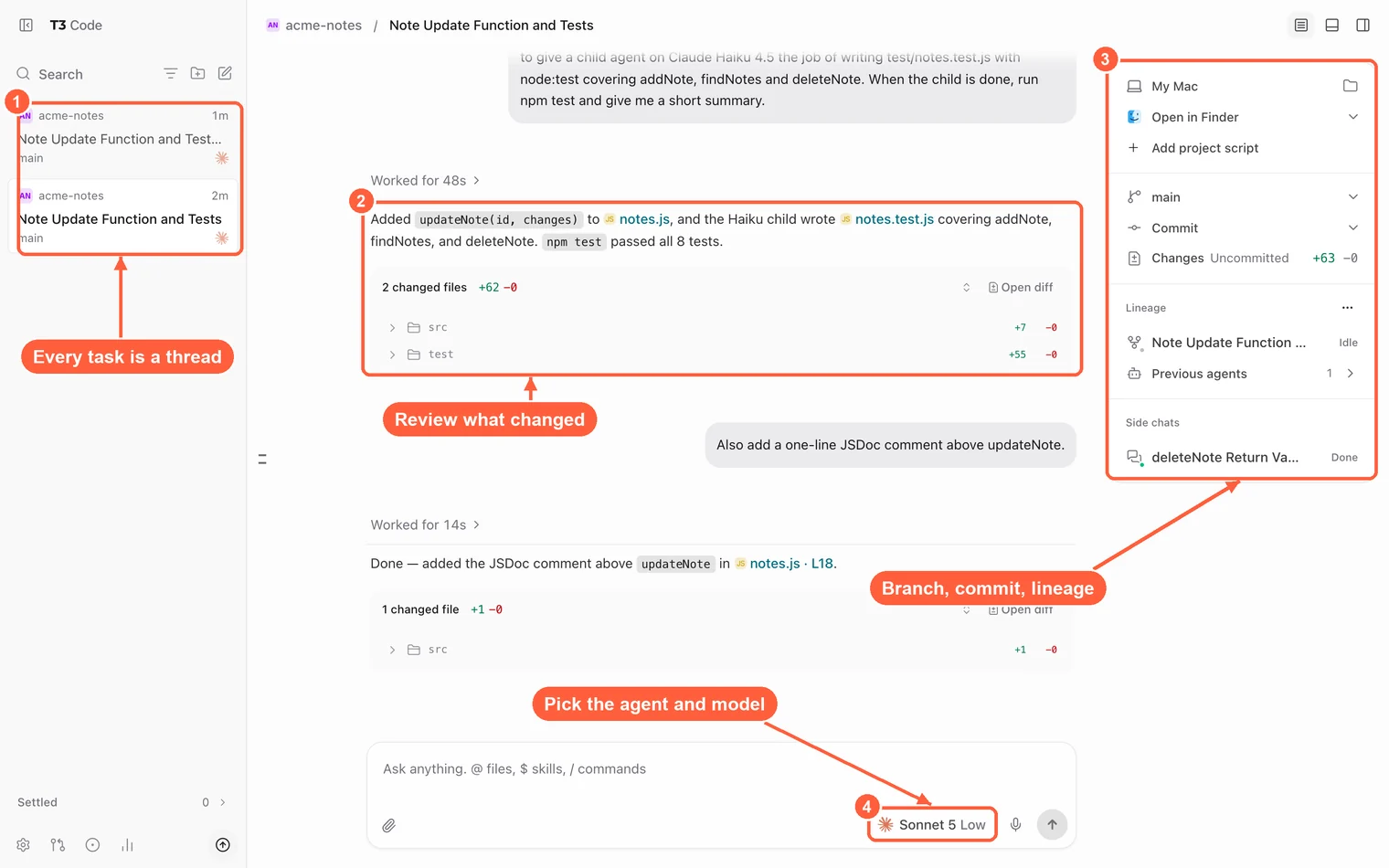
The short version
- Bring your own subscription. T3 Code does not sell tokens or models. It drives the agents you are already signed in to, so your Claude or ChatGPT plan keeps working as usual.
- Every agent in one window. Each task lives in a thread. You can switch the model in the middle of a thread, or have one agent hand work to another.
- Desktop, web and phone. One server runs on your machine; every client shows the same threads. Start a task at your desk and approve the next step from your phone.
- Git built in. A thread can work in its own Git worktree and branch. Review the diff, then commit, push and open a pull request without leaving the app.
- Remote ready. The agents can run on any machine you own — a desktop at home, a VPS, a spare Mac mini — and you connect to it over your local network, Tailscale or T3 Connect.
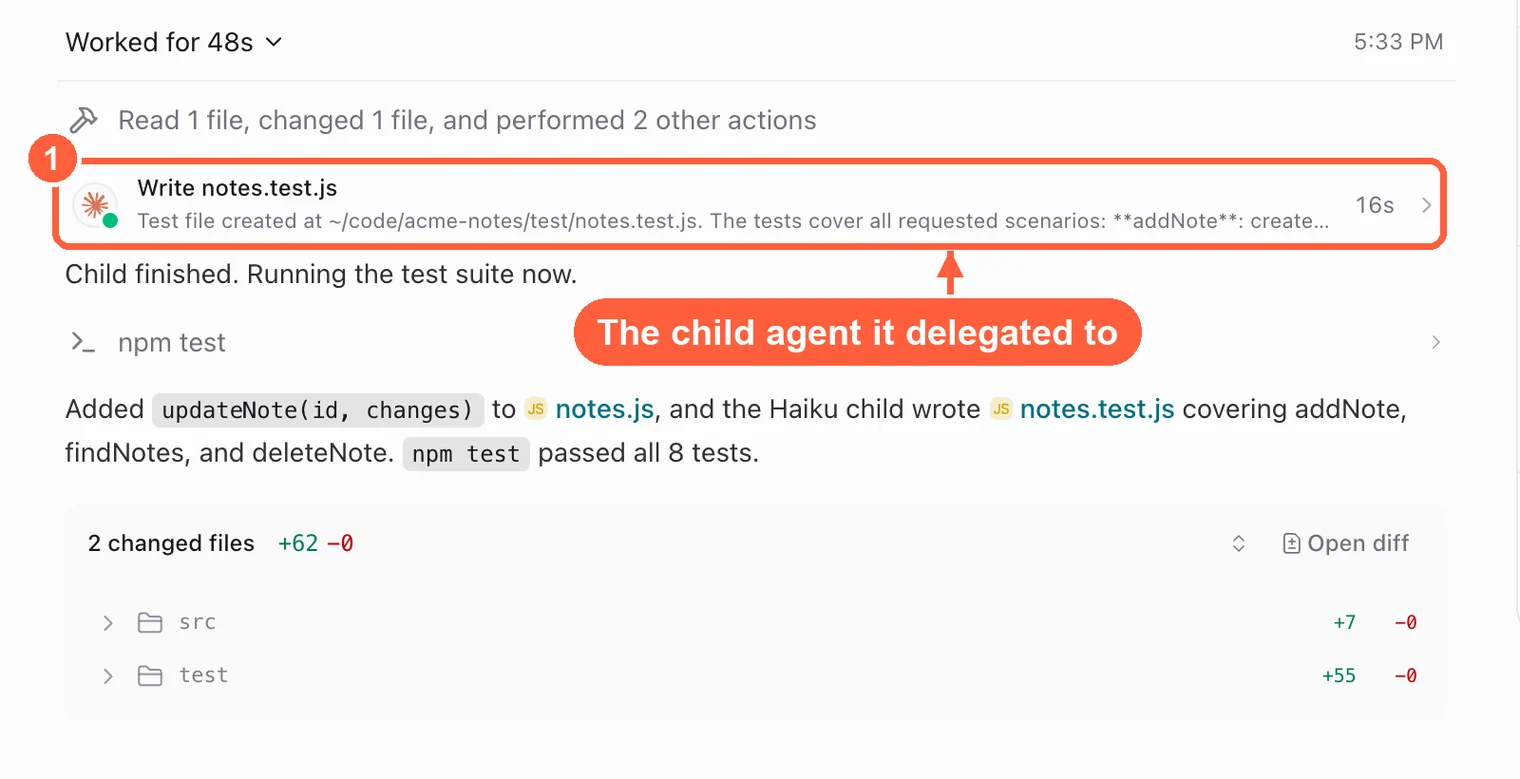
Handing work from one agent to another looks like this. Claude Sonnet asked a child agent on Claude Haiku to write the tests, then ran them once it finished:
Harness, IDE or something else?
This is the question people ask most, because “AI coding tool” covers very different things.
| Term | What it is | Examples |
|---|---|---|
| Model | The LLM that does the thinking | Claude, GPT, Grok |
| Harness | Turns a model into an agent: gives it tools, runs them, feeds results back | Claude Code, Codex, OpenCode |
| IDE | A code editor with AI features added | VS Code, Cursor, Zed |
| Control plane / ADE | Runs and manages agents: threads, approvals, diffs, remote access | T3 Code |
The upstream FAQ puts it well with a kitchen analogy: the model is the chef, the harness is the kitchen, and T3 Code is the restaurant that lets you bring whichever kitchen you like. T3 Code uses each lab’s official harness or protocol, which is why an agent behaves the same in T3 Code as it does in its own CLI.
How it works
T3 Code has two halves:
- A server that runs on the machine where your code lives. It starts the agent CLIs, runs Git and terminals, and stores every thread in a local SQLite database.
- Thin clients — the desktop app, the web app and the mobile apps. They never run agents themselves; they connect to the server over an authenticated WebSocket and show what it’s doing.
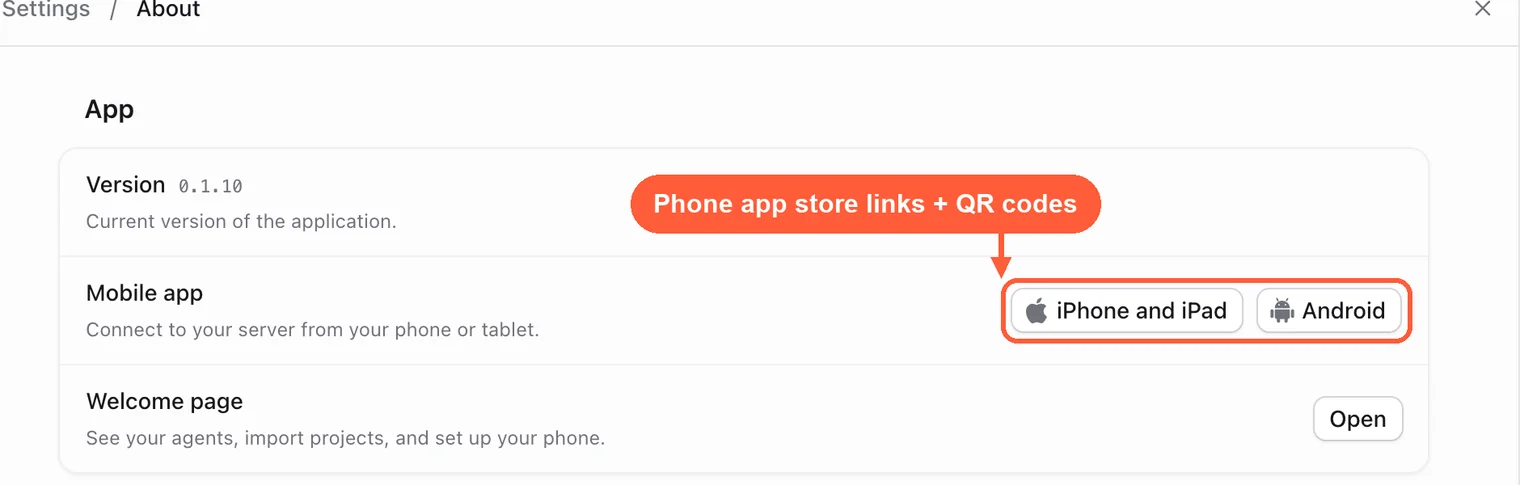
Because state lives on the server, you can close the laptop lid on one device and pick the thread up on another. The flip side: if the server machine goes to sleep, the agents stop too. For always-on work, run the server on a machine that stays awake.
Which agents does it support?
Claude Code, Codex, Cursor, OpenCode, Grok Build, Google Antigravity, Kiro, Pi, Muse Code, fx, and any agent that speaks the Agent Client Protocol (ACP). Each one is installed and signed in on the server machine using its own CLI — for example claude auth login or codex login.
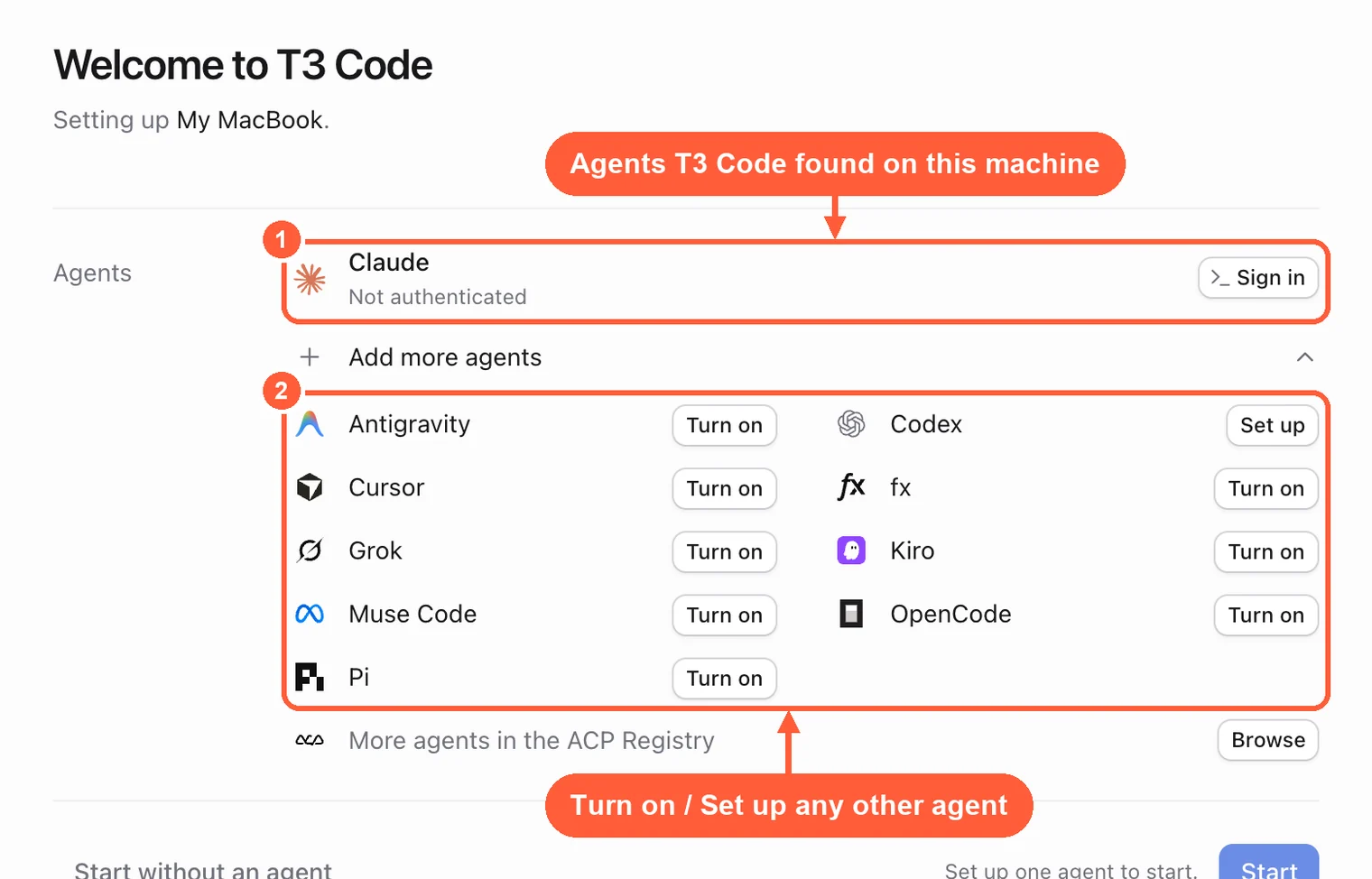
Local models (Ollama and similar) are not supported; the maintainers’ position is that local models aren’t yet good enough for real engineering work. You can point an agent at an API key or OpenRouter by adding a separate provider instance.
Who is it for?
T3 Code is a good fit if you:
- use more than one agent, or more than one machine;
- run several tasks in parallel and are tired of juggling terminal tabs;
- want to approve or steer agents from your phone;
- care about owning your tools — it’s open source and you can fork it.
It’s a weaker fit if you only ever run one agent in one terminal and like it that way. The terminal CLI on its own is perfectly good for that.
Is it free and safe?
Yes, it’s free: there is no paid tier for T3 Code itself, and you keep paying your agent provider as before. Your code and prompts go from your machine to your chosen provider, not to T3 Code’s servers. The server does send basic, anonymous-style product usage events (provider, model, token counts — never prompts or file contents), and you can switch that off. See Is T3 Code free? for the details.
Try it
The fastest way to see it is one command, no install needed (requires Node.js):
npx t3@latestOr follow the full install guide for your platform, then the 10-minute getting-started guide.
FAQ
Is T3 Code a harness?
No. A harness is the layer that turns a model into an agent by giving it tools and running them. Claude Code and Codex are harnesses. T3 Code drives those harnesses and does not work without one.
Is T3 Code an IDE?
Not in the classic sense. It has no code editor at its centre. It is an agent workspace, sometimes called an ADE (agent development environment), built around threads, diffs and approvals. Most people keep their editor open next to it.
Is T3 Code an Electron app?
The desktop app is built with Electron, but the same interface also runs in any browser and as native iOS and Android apps. All of them talk to the same T3 Code server.
Who makes T3 Code?
T3 Code is developed in the open by Ping Labs, the team behind T3 Chat, and is MIT licensed on GitHub at pingdotgg/t3code.
Does T3 Code replace Claude Code or Codex?
No. You still need at least one agent installed and signed in. T3 Code gives those agents a shared interface, remote access and Git tooling.