T3 Code comes in three shapes, and they all talk to the same server:
- Desktop app for macOS, Windows and Linux — the easiest way to start.
- The
t3command line, which runs the server and opens the web app in your browser. Best for servers, VPSs and headless boxes. - Phone apps for iOS and Android, which connect to a server on another machine.
Choose your platform
| Platform | Guide | Quickest command |
|---|---|---|
| macOS | Install on Mac | brew install --cask t3-code |
| Windows | Install on Windows | winget install T3Tools.T3Code |
| Linux | Install on Linux | yay -S t3code-bin (Arch) or the .deb / AppImage |
| Raspberry Pi / ARM64 | Raspberry Pi and ARM64 | curl install script, then t3 up |
| Anywhere with Node.js | — | npx t3@latest |
Option 1: Desktop app
Download the installer from the project’s GitHub Releases page, or use a package manager:
| Platform | Command |
|---|---|
| macOS | brew install --cask t3-code |
| Windows (winget) | winget install T3Tools.T3Code |
| Windows (Scoop) | scoop install extras/t3code |
| Debian / Ubuntu | sudo apt install ./T3-Code-*.deb |
| Arch Linux | yay -S t3code-bin |
| Nix | nix profile add github:NixOS/nixpkgs/nixos-unstable#t3code |
The desktop app includes the t3 command too. A fresh install offers to set it up on first launch; you can also do it later from Settings → About → t3 command → Install.
Option 2: The t3 command line
On macOS and Linux:
curl -fsSL https://t3.codes/install.sh | shOn Windows, in PowerShell:
irm https://t3.codes/install.ps1 | iexThis puts t3 in ~/.local/bin. If that folder isn’t on your PATH, the installer tells you and prints the line to add for zsh, bash or fish. Then:
| What you want | Command |
|---|---|
| Start the server and open the web app | t3 |
| Start the server without opening a browser | t3 serve |
| Open a specific project | t3 ./my-project |
| Make it reachable from your other devices | t3 up |
| Keep it running in the background | t3 service install |
| Update to the newest release | t3 update |
| Remove it | t3 uninstall |
Run t3 help for the full list.
Tip: want the nightly build instead of stable? Set
T3CODE_CHANNEL=nightlybefore running the install script. To pin an exact version, setT3CODE_VERSION.
Option 3: Try it once with npx
If you have Node.js, this runs T3 Code without installing anything permanent:
npx t3@latestIt offers to install the t3 command first. Say no and it just runs. Note that npx t3 always runs the latest stable release, even if you’ve installed nightly.
Option 4: Phone apps
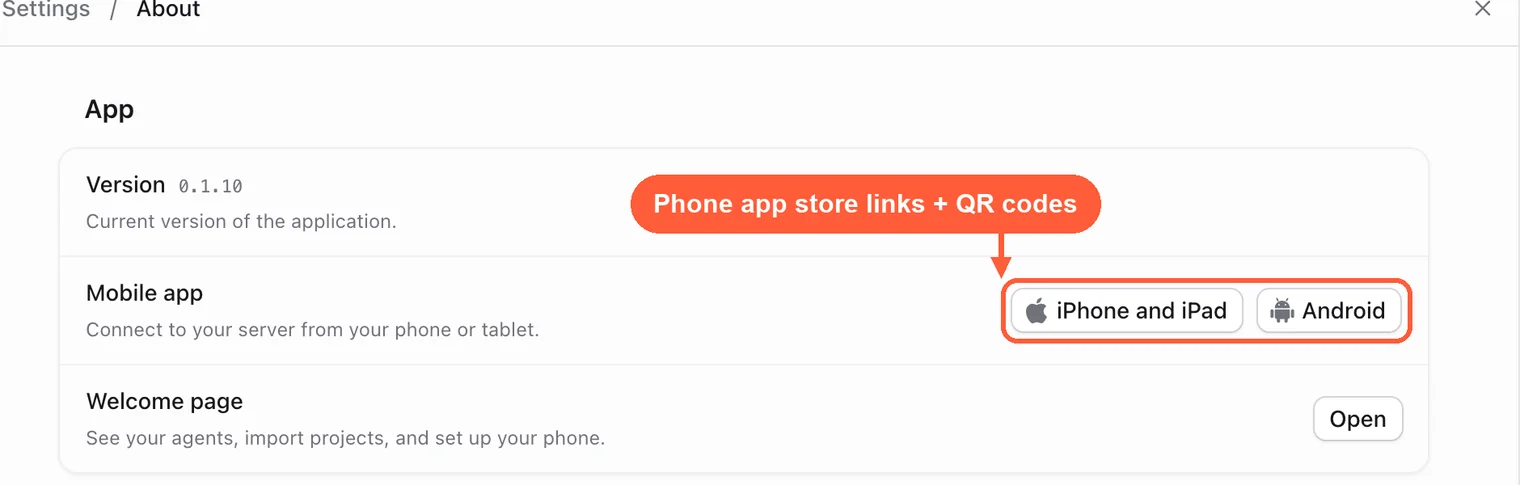
Get T3 Code from the App Store or Google Play. The phone doesn’t run agents — it’s a remote for a T3 Code server on one of your computers, which needs to stay on. After installing, connect it with T3 Connect or a pairing link (our remote-access guide is coming soon). The desktop and web app show store links and QR codes:
After installing: sign in to an agent
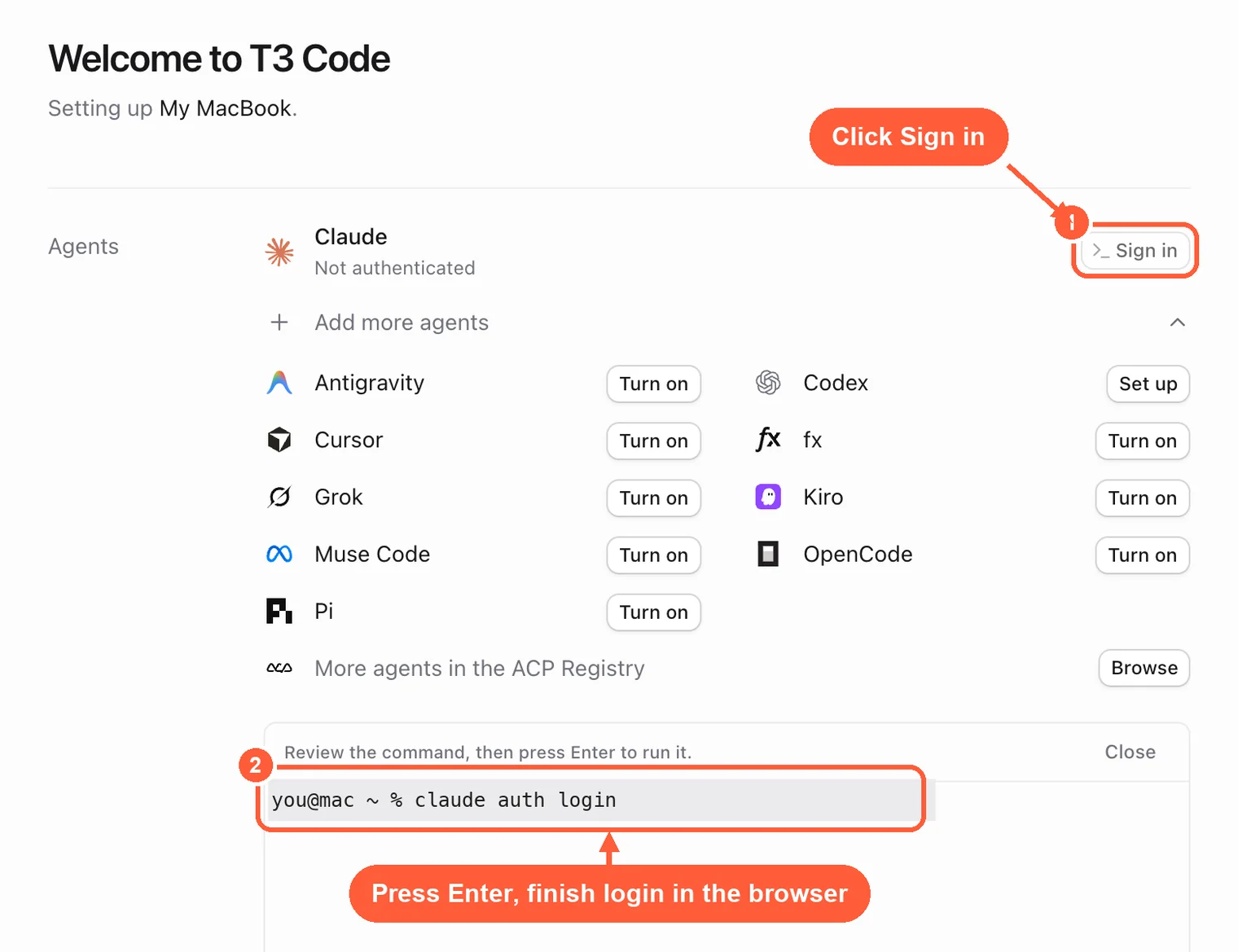
T3 Code needs at least one agent that is installed and signed in on the machine running the server. On a fresh install, the Welcome page shows which agents it found and can open a terminal with the right command ready.
| Agent | Sign in with |
|---|---|
| Claude Code | claude auth login |
| Codex | codex login, or Connect with ChatGPT in T3 Code |
| Cursor | agent login (the executable is cursor-agent) |
| OpenCode | opencode auth login |
| Grok Build | grok login |
| Kiro | kiro-cli login |
| Pi | run pi, then /login (needs Node.js 22.19+) |
| Muse Code | muse login |
| fx | fx login |
| Antigravity | Sign in with Google from T3 Code’s provider settings |
Then open Settings → Providers and make sure the agent is enabled.
If your agent doesn’t show up
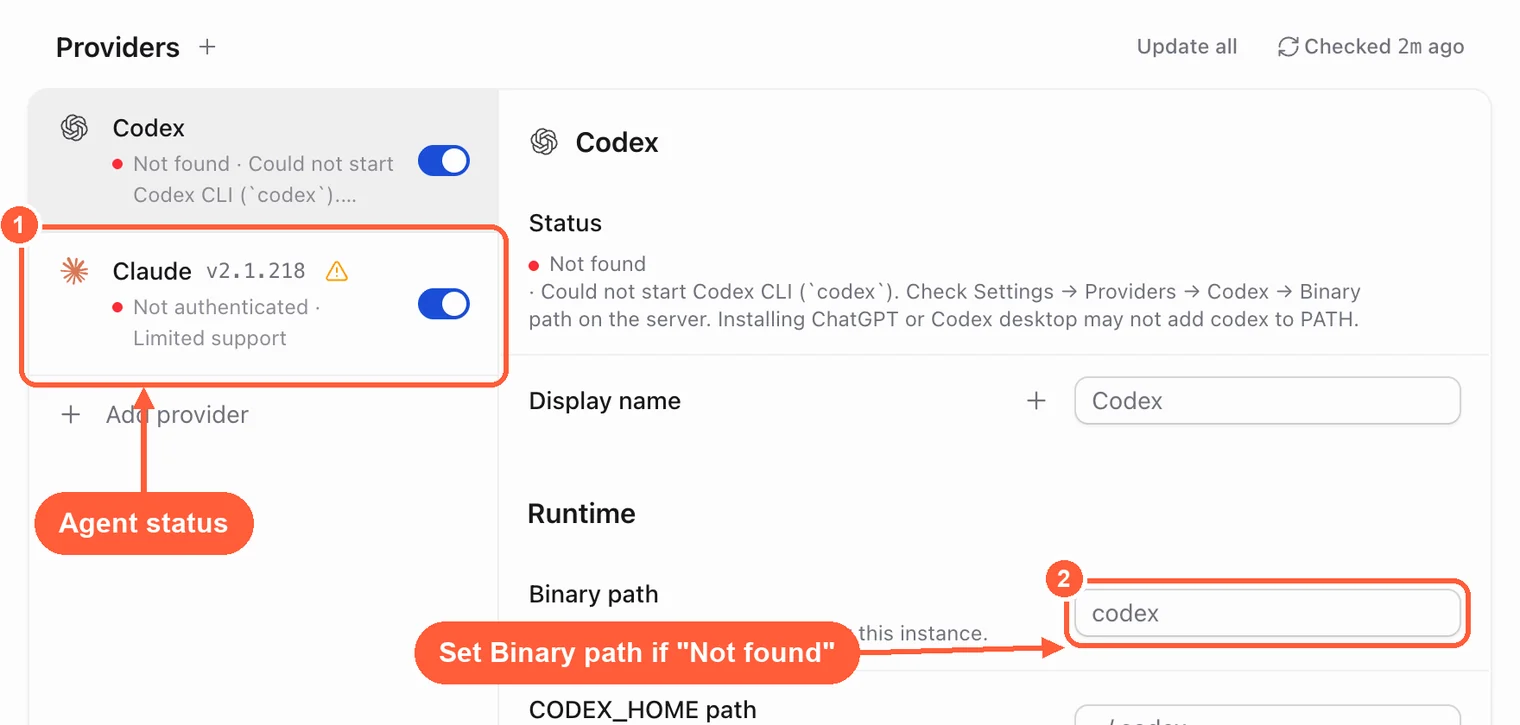
Almost always, the agent’s CLI isn’t on the PATH of the machine running the server — common with version managers like mise, nvm or asdf. Two fixes:
- Open a new terminal and confirm the CLI runs (
claude --version,codex --version). - In Settings → Providers, set the agent’s Binary path to the full path of the executable.
If the agent works in its own CLI but T3 Code reports a timeout while checking it, give the check more time, for example:
T3CODE_CLAUDE_PROBE_TIMEOUT_MS=60000 t3 serveFAQ
What do I need before installing T3 Code?
Nothing to install it. To actually start a thread you need at least one coding agent installed and signed in on the same machine, for example Claude Code or Codex.
Should I install the desktop app or the t3 command?
Use the desktop app on the computer you sit at. Use the t3 command on servers and headless machines, or if you prefer the browser. The desktop app also ships the t3 command.
Can I try T3 Code without installing it?
Yes. Run npx t3@latest. It needs Node.js, starts a server and opens the web app. It will offer to install the t3 command, which you can decline.
Is there a T3 Code app for iPhone and Android?
Yes. The phone apps are remotes - they connect to a T3 Code server running on one of your computers, which does the actual work.