Install with Homebrew (recommended)
If you have Homebrew, this installs the desktop app:
brew install --cask t3-codeOpen T3 Code from Applications or Spotlight. On first launch you’ll see the Welcome page, which lists the agents it found on your Mac.
Prefer not to use Homebrew? Download the macOS build from the project’s GitHub Releases and drag it into Applications.
Install the t3 command line
The command line runs the T3 Code server and opens the web app in your browser. It’s handy for a Mac mini or other always-on Mac you’ll reach from elsewhere.
curl -fsSL https://t3.codes/install.sh | shIt installs to ~/.local/bin. On a default macOS setup (zsh), that folder may not be on your PATH; the installer prints the exact line to add to ~/.zshrc. Open a new terminal and run:
t3Already have the desktop app? You don’t need the script — go to Settings → About, find t3 command and choose Install.
Try it without installing
With Node.js installed:
npx t3@latestIntel Macs
The desktop app runs on Intel Macs, but there is no prebuilt t3 binary for them. If you want a standalone server on an Intel Mac, build it from source following the upstream development runbook. t3 update and the background service don’t apply to a server run that way — update it with git pull and a rebuild. For most people on Intel, just use the desktop app.
Sign in to an agent
The quickest way: on the Welcome page, click Sign in next to the agent.
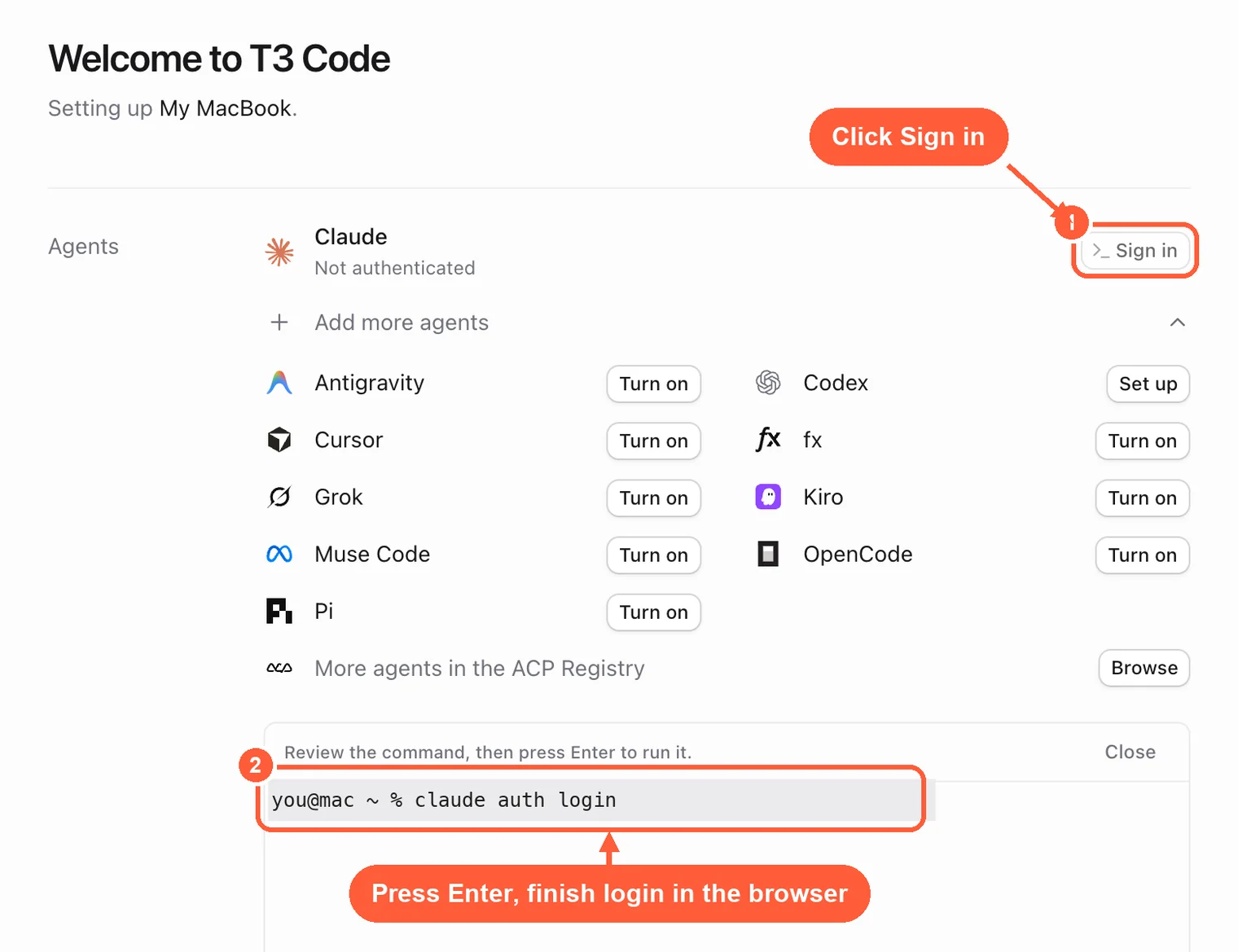
Or run it yourself in Terminal:
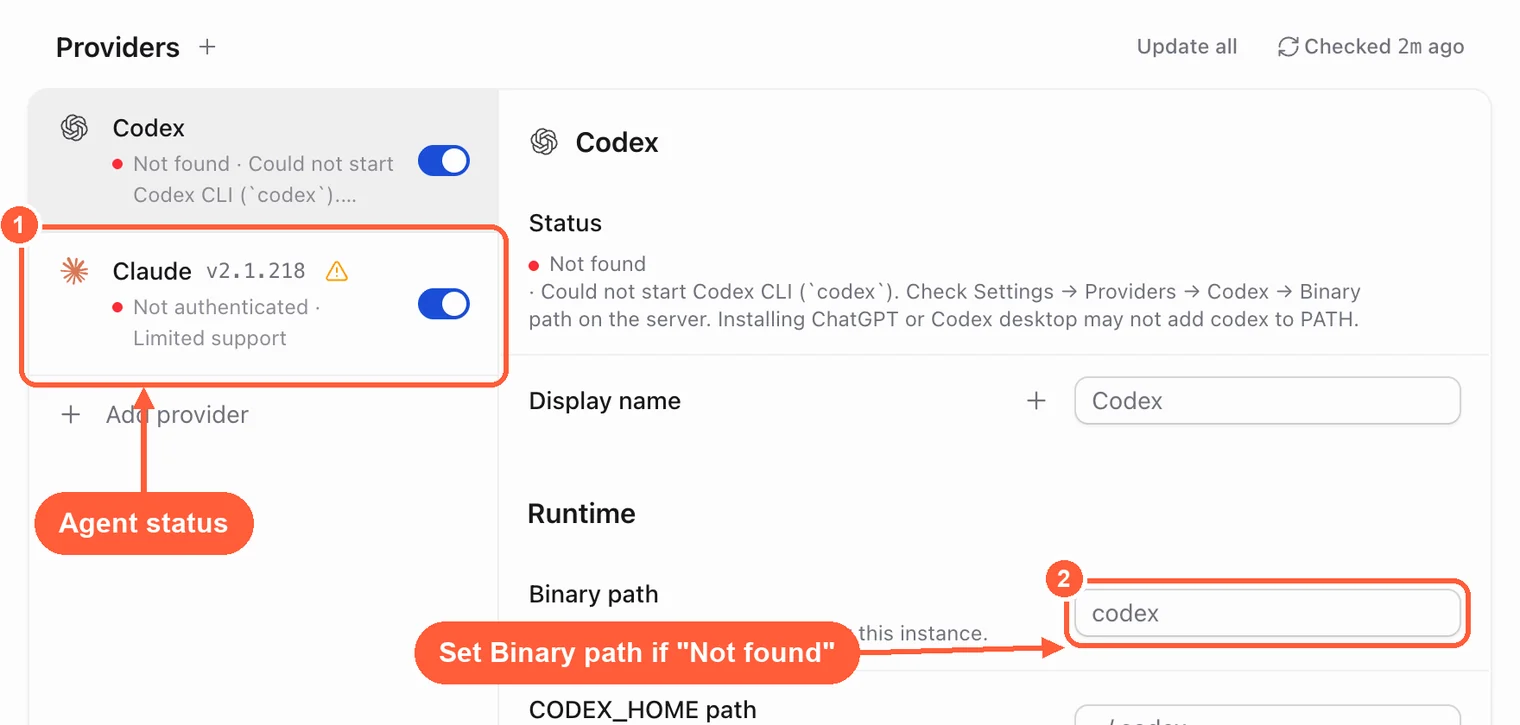
claude auth logincodex loginBack in T3 Code, open Settings → Providers and check the agent shows as ready. If it doesn’t, see the next section.
Fixing “provider not found” on macOS
GUI apps on macOS don’t always see the same PATH as your terminal, especially if you installed the agent with Homebrew, mise, nvm or asdf.
- Find the full path:
which claude(orwhich codex). - In Settings → Providers, paste it into that agent’s Binary path.
Keep it running
If this Mac will be a server you reach from your phone or another computer, install the background service so T3 Code starts on login and survives closing the terminal:
t3 service installRemember the agents stop if the Mac sleeps. For an always-on box, adjust System Settings → Energy so it stays awake while plugged in.
FAQ
Does T3 Code work on Intel Macs?
The desktop app does. There is no prebuilt t3 command-line binary for Intel Macs, so to run a standalone server there you build it from source.
How do I update T3 Code on a Mac?
The desktop app updates itself from the update button at the bottom of the sidebar. If you installed with Homebrew you can also run brew upgrade --cask t3-code. A standalone server updates with t3 update.
How do I uninstall T3 Code on macOS?
Run brew uninstall --cask t3-code if you used Homebrew, or drag the app to the Trash. Remove the command-line version with t3 uninstall.