Check your architecture first
uname -mx86_64→ download files ending inx86_64.AppImageoramd64.debaarch64→ download files ending inarm64.AppImageorarm64.deb. On a Raspberry Pi, see T3 Code on Raspberry Pi and ARM64 first
Ubuntu and Debian (.deb)
Download the .deb for your architecture from GitHub Releases, then install it from the download folder:
sudo apt install ./T3-Code-*.debThe .deb build updates itself and asks for your password for each update. If your desktop has no graphical password prompt, the update fails — just download the new .deb and install it the same way.
Arch Linux and Omarchy (AUR)
yay -S t3code-binFor nightly builds use t3code-nightly-bin. Update with your AUR helper (yay -Syu), not the in-app updater. This also works on Arch-based setups such as Omarchy.
Any distro: AppImage
The AppImage is the fallback for Fedora, openSUSE and anything else. From the folder you downloaded it to (use your exact filename):
chmod +x ./T3-Code.AppImage
./T3-Code.AppImage
Nix and NixOS
T3 Code is in nixpkgs (nixos-unstable). With Nix 2.30+ and flakes enabled:
nix profile add github:NixOS/nixpkgs/nixos-unstable#t3codeLaunch the desktop app with t3code-desktop; the package also includes t3. On NixOS you can add it to your system config instead:
environment.systemPackages = [ pkgs.t3code ];then run sudo nixos-rebuild switch. With Home Manager, add pkgs.t3code to home.packages. Always update through Nix (nix profile upgrade t3code or a rebuild), not t3 update.
Servers and headless boxes: the t3 command
For a VPS or a machine without a desktop, skip the GUI and install the command line:
curl -fsSL https://t3.codes/install.sh | shIt installs to ~/.local/bin and prints the line to add to your shell’s PATH if needed. Then:
t3 serve              # start the server without opening a browser
t3 service install    # keep it running in the background
To use it from your laptop or phone, run t3 up on the server (remote-access guide coming soon).
Sign in to an agent
The quickest way: on the Welcome page, click Sign in next to the agent.
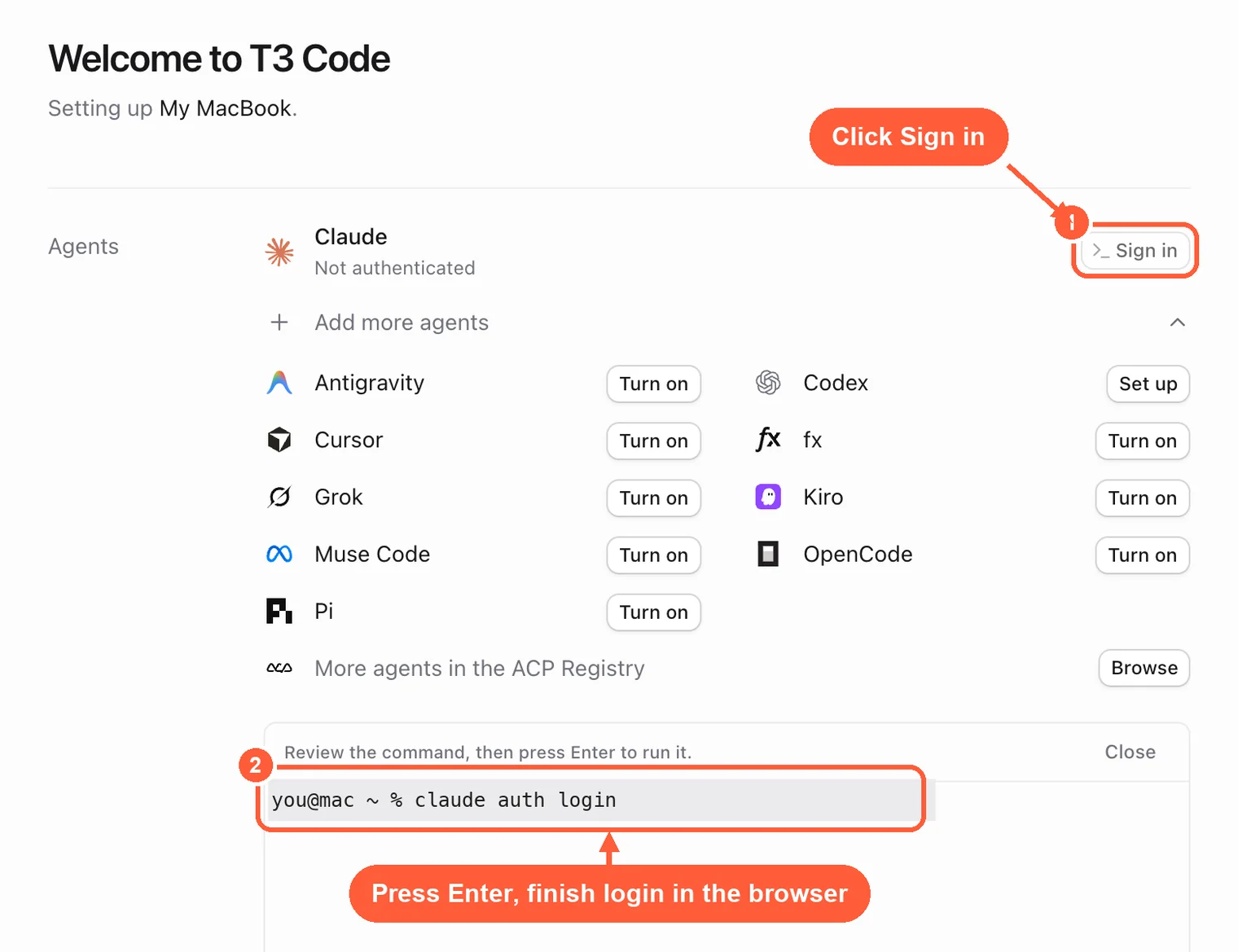
Or run it yourself on the same machine:
claude auth logincodex loginIf T3 Code can’t find it, set the agent’s Binary path in Settings → Providers — common when the CLI was installed with mise, nvm or asdf.
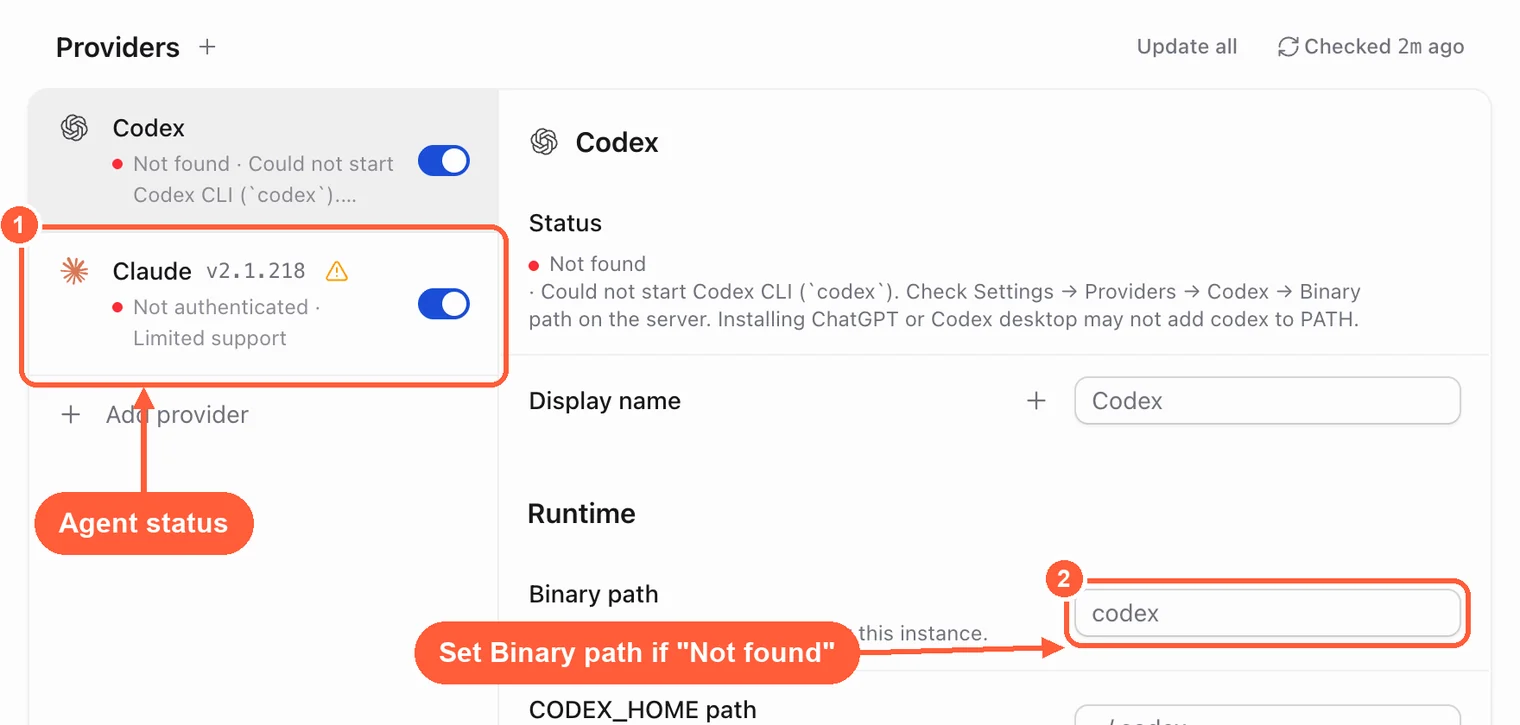
If you run T3 Code as a systemd service, remember the service may not load your shell profile, so agent CLIs and environment variables need to be visible to the service too.
FAQ
Is there a T3 Code package for Fedora?
There is no dedicated Fedora package at the time of writing. Use the AppImage for the desktop app, or the t3 command line for a server.
How do I update T3 Code on Arch?
Update through your AUR helper, for example yay -Syu, rather than the in-app updater.
Can I run T3 Code on a headless Linux server?
Yes. Install the t3 command line, run t3 serve, and connect from another device. Use t3 service install to keep it running in the background.