Orchestrator V2 is T3 Code’s rewrite of how agents run. It was in Nightly from early October and became stable in v0.1.0. If you’re on 0.1.0 or newer, you already have everything on this page. Coming from an older version? Read Upgrade to Orchestrator V2 first.
In one sentence: agents can now hand work to other agents, and you can see, steer, fork and stop all of it.
| Feature | What it does | Where |
|---|---|---|
| Delegate to other agents | An agent starts child agents on any provider or model | Ask in your message |
| Lineage | Forks, subagents and side chats of a thread | Thread details |
| Steer or queue | Send into the running turn, or after it | Composer |
| Side chats | Ask a question without touching the thread | /btw or /side |
| Fork | Branch a thread from any reply | Under a reply |
| Switch model | Change model or agent between turns | Composer model picker |
| Scheduled tasks | Run prompts on a schedule; resume after limits | Settings |
Delegate work to another agent
The biggest change in V2 is delegate_task, a tool T3 Code gives every agent. With it, an agent can start a child agent on any provider and model, give it a job, and either wait for the result or keep working. When the child finishes, the parent wakes up with the result. Upstream calls this the recommended way to use several agents together, for example Claude planning while Codex implements.
You don’t need a special button. Ask for it in your message:
Add an updateNote(id, changes) function to src/notes.js. In parallel, use
delegate_task to give a child agent on Claude Haiku 4.5 the job of writing
test/notes.test.js. When the child is done, run npm test and summarize.
Expand Worked for … on the reply to see the child as its own card:
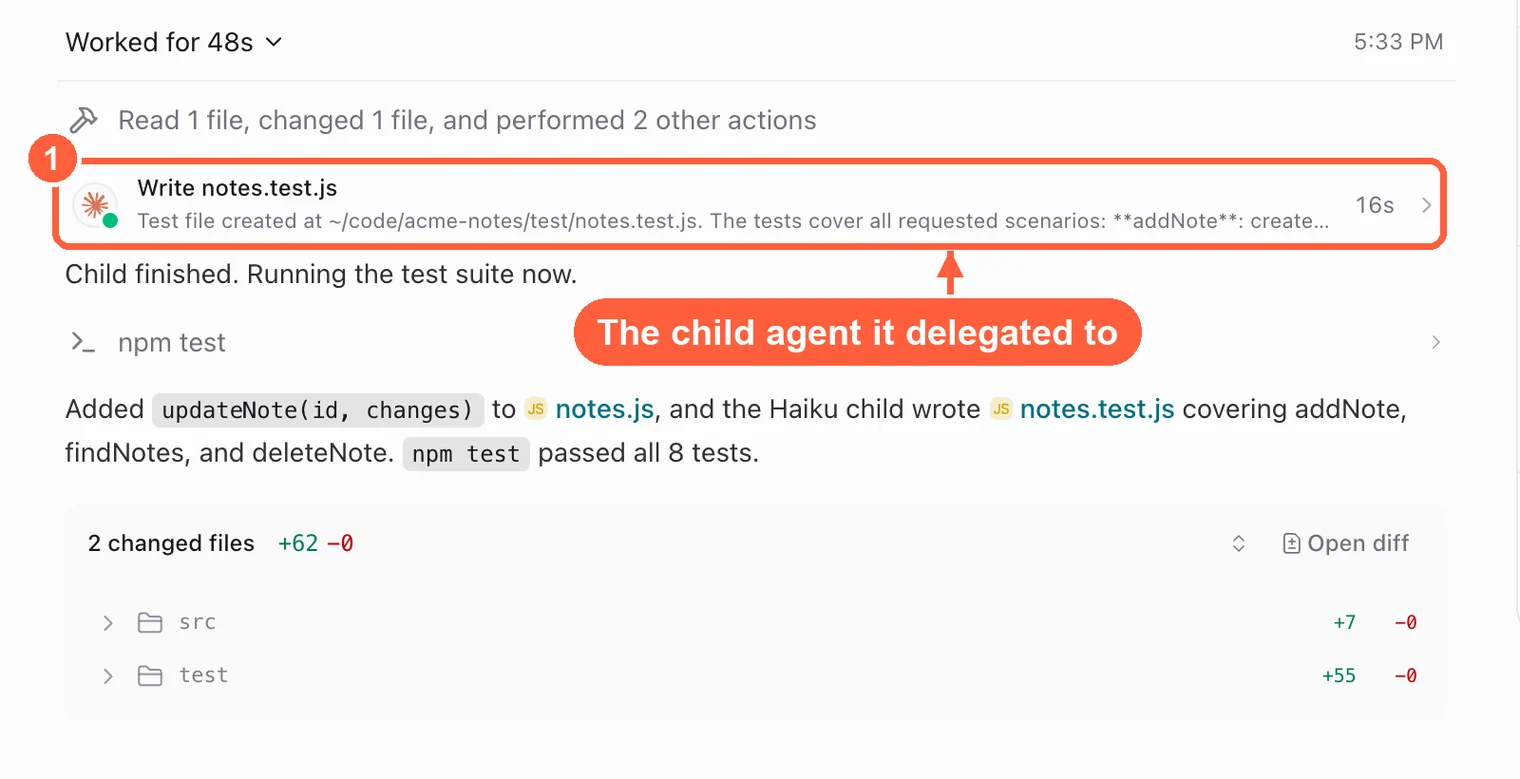
npm test once the child finished.Click the card to open the child’s thread. It has its own transcript, model and diff:
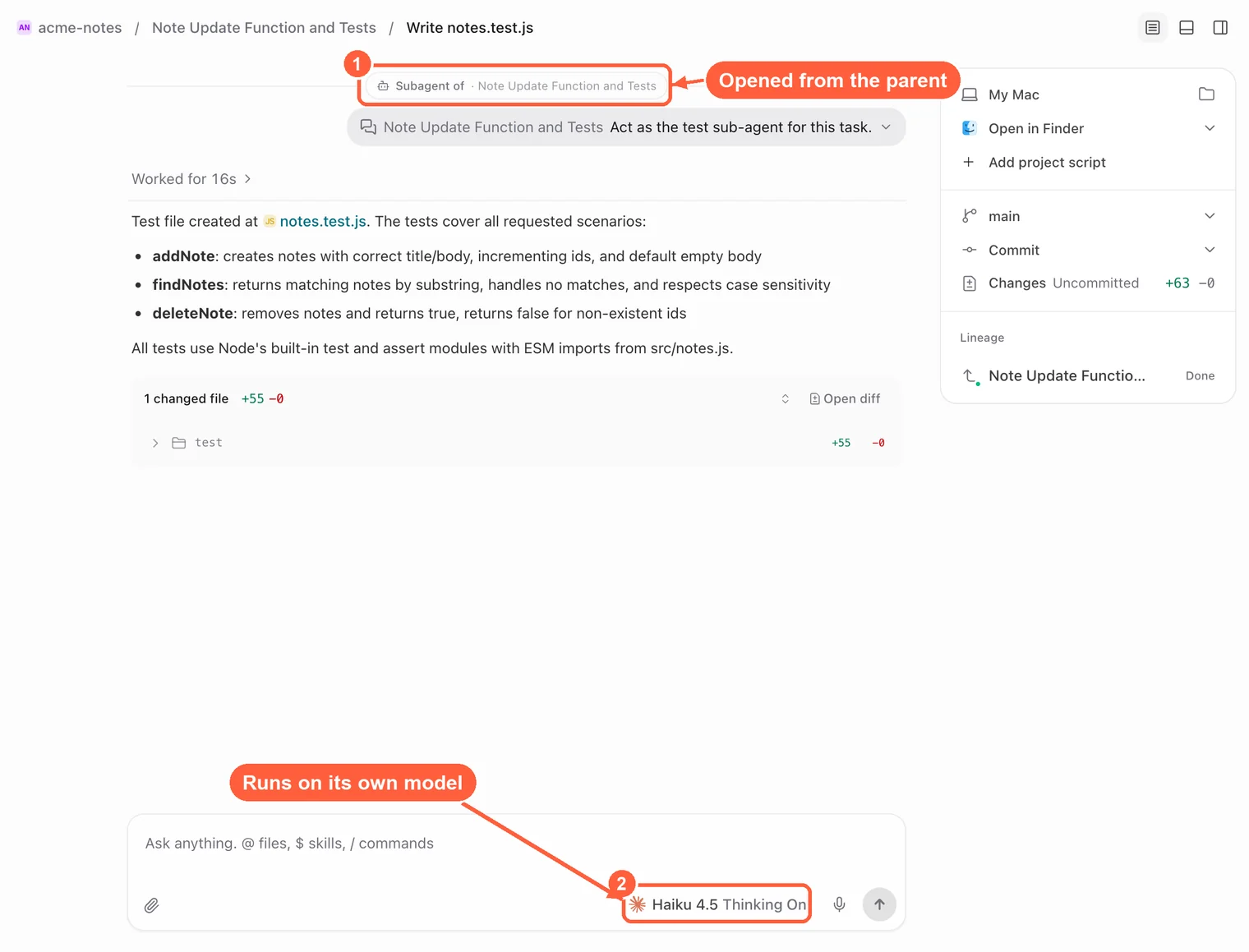
Good to know:
- Stop stops everything. Stopping the parent also stops the agents it delegated to.
- Approvals come to you through the parent. When an agent-started subagent needs an approval or an answer, the parent thread asks for it. Send messages to the parent, not the child.
- Native subagents from Claude, Codex, OpenCode 2, Cursor and Pi also show up as child threads in the same way.
- Archiving: before you archive the parent, let its delegated tasks finish or cancel them.
See everything in Lineage
Open thread details (the panel icon at the top right). The Lineage section lists everything connected to the thread.
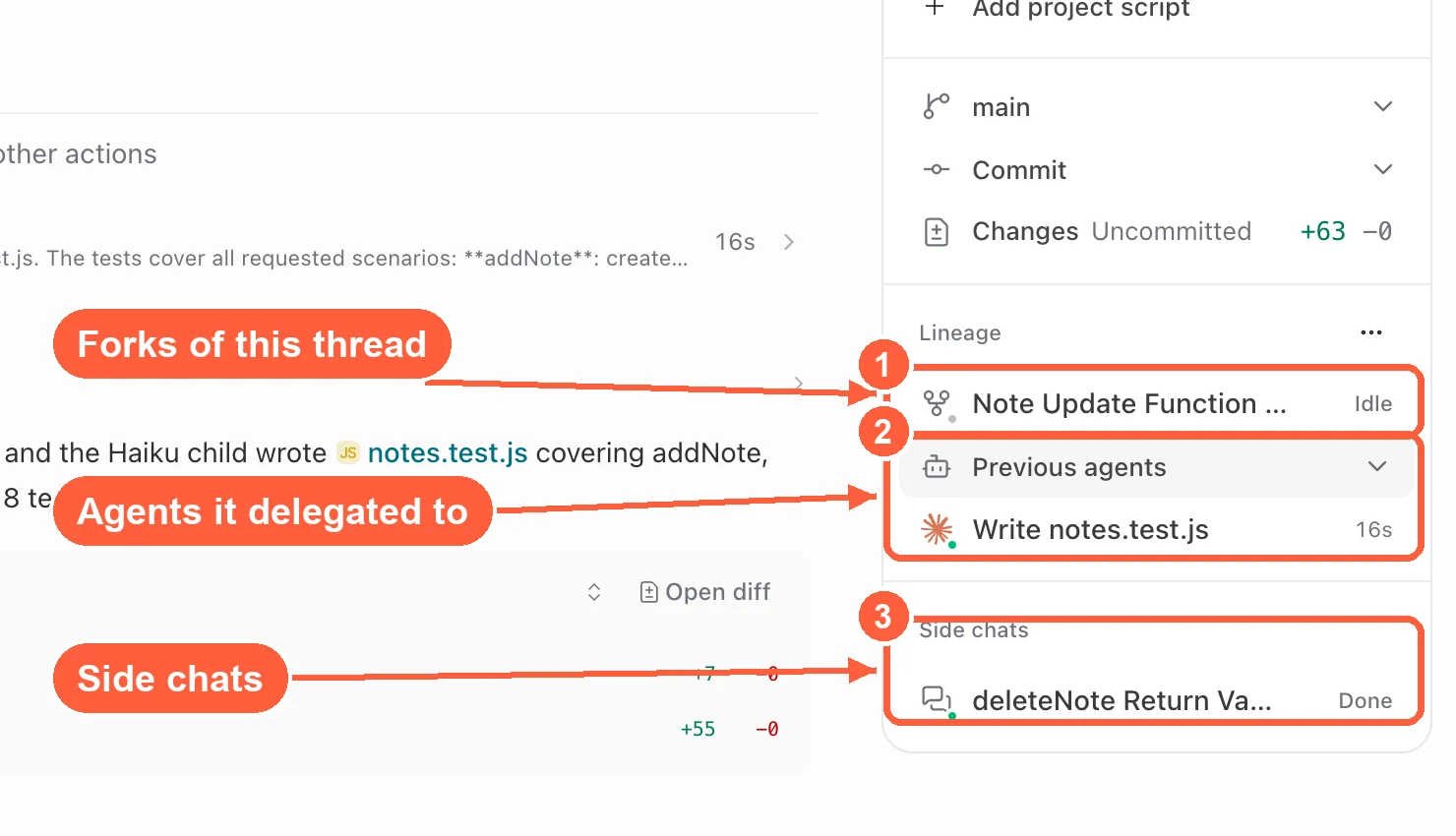
Steer or queue while the agent works
In V2, you don’t have to wait for a turn to finish before you type. When you send while the agent is working, the message either:
- Steers: goes into the running turn right away, or
- Queues: waits and is sent when the current turn ends.
Pick your default in Settings → Chat → Follow-up behavior. The send button shows which one you’ll get:
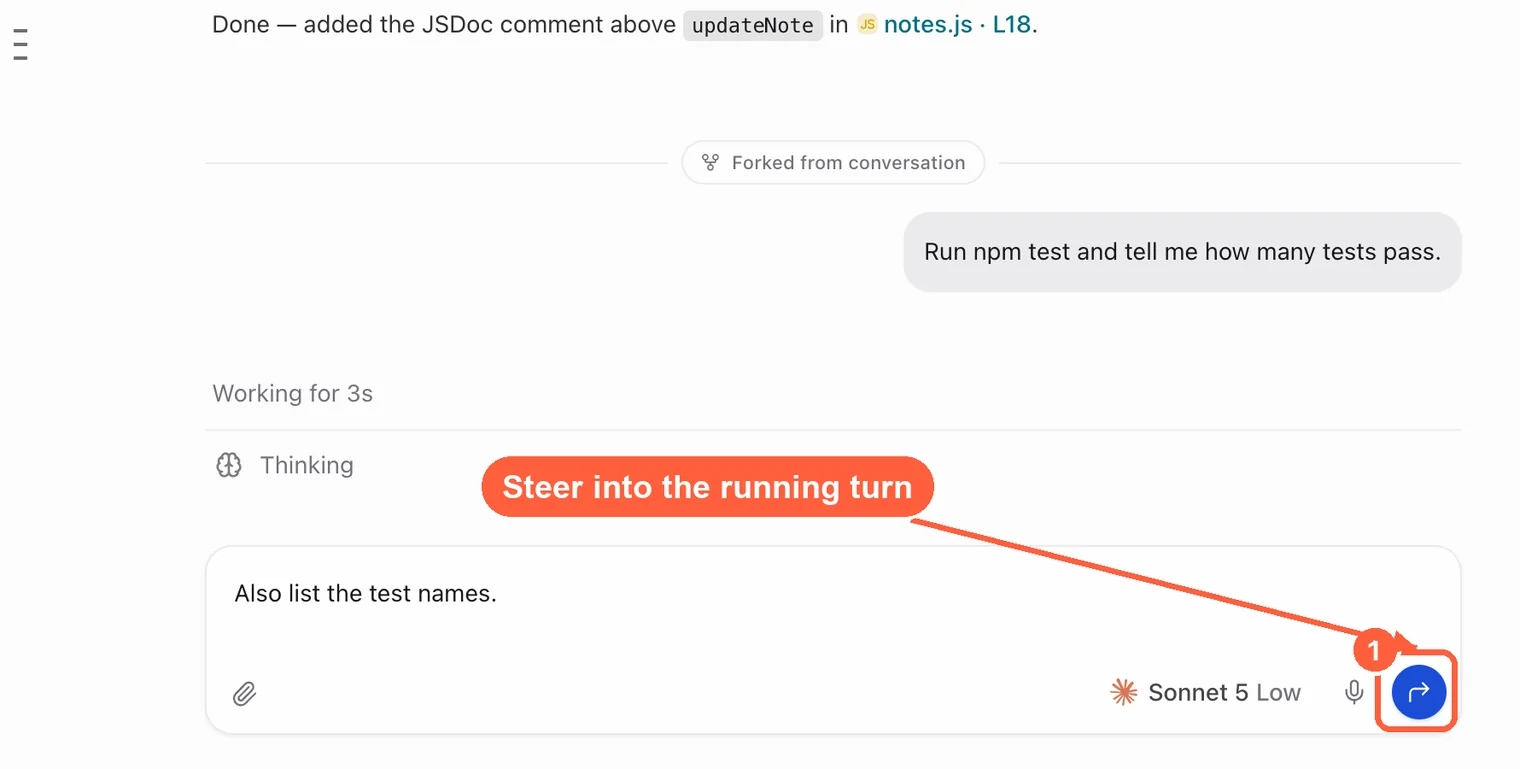
Press Cmd+Enter on Mac or Ctrl+Enter on Windows and Linux to use the other action for one message. A queued message waits at the end of the thread with a dashed outline:
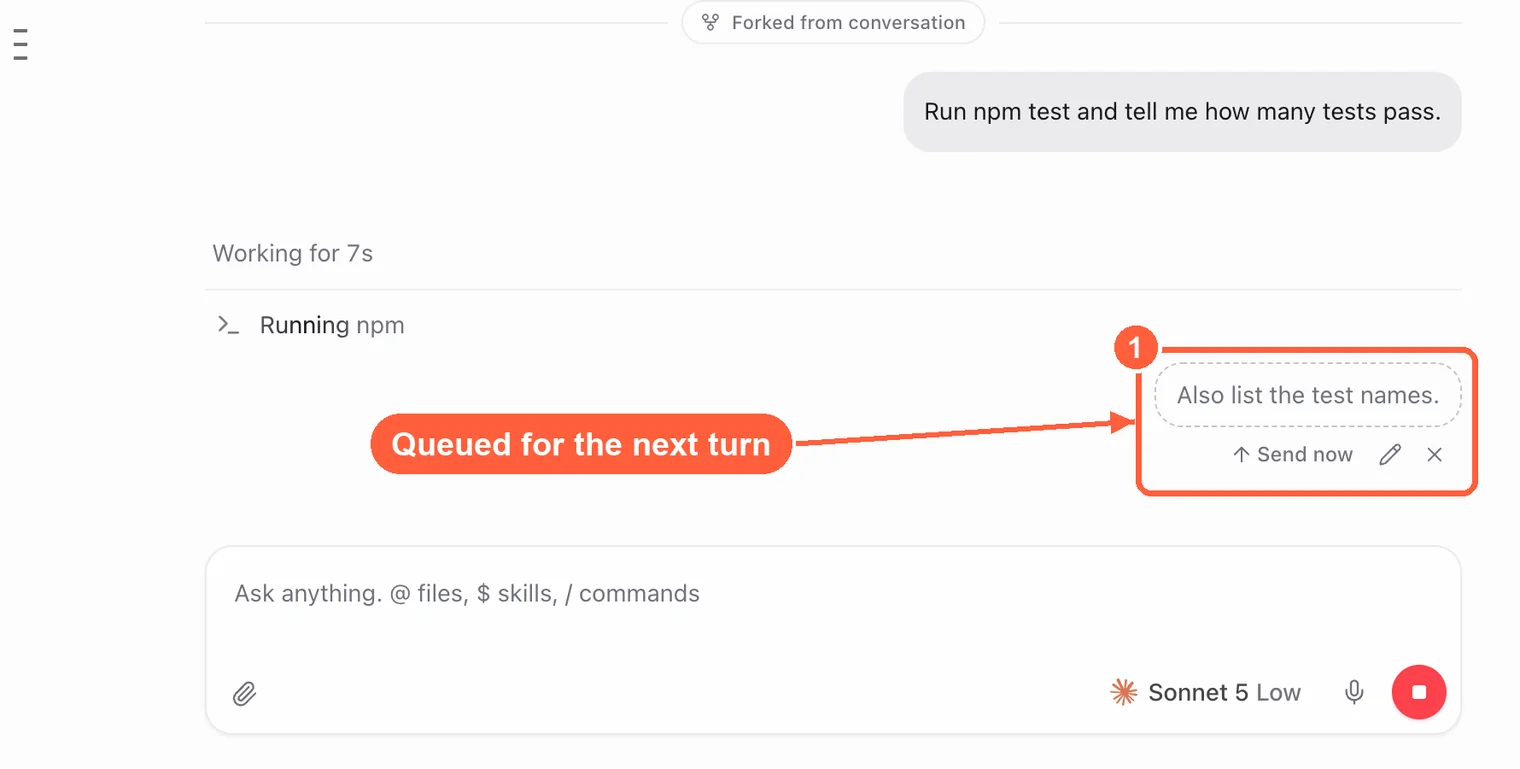
Queued messages are saved on the server. They keep their order if you stop the agent or the server restarts. Press Resume in an empty composer to carry on.
Ask on the side with /btw
A side chat answers a question about a thread without adding anything to it, and the thread keeps working while you ask. Start a message with /btw or /side:
/btw what does deleteNote return when the id doesn't exist?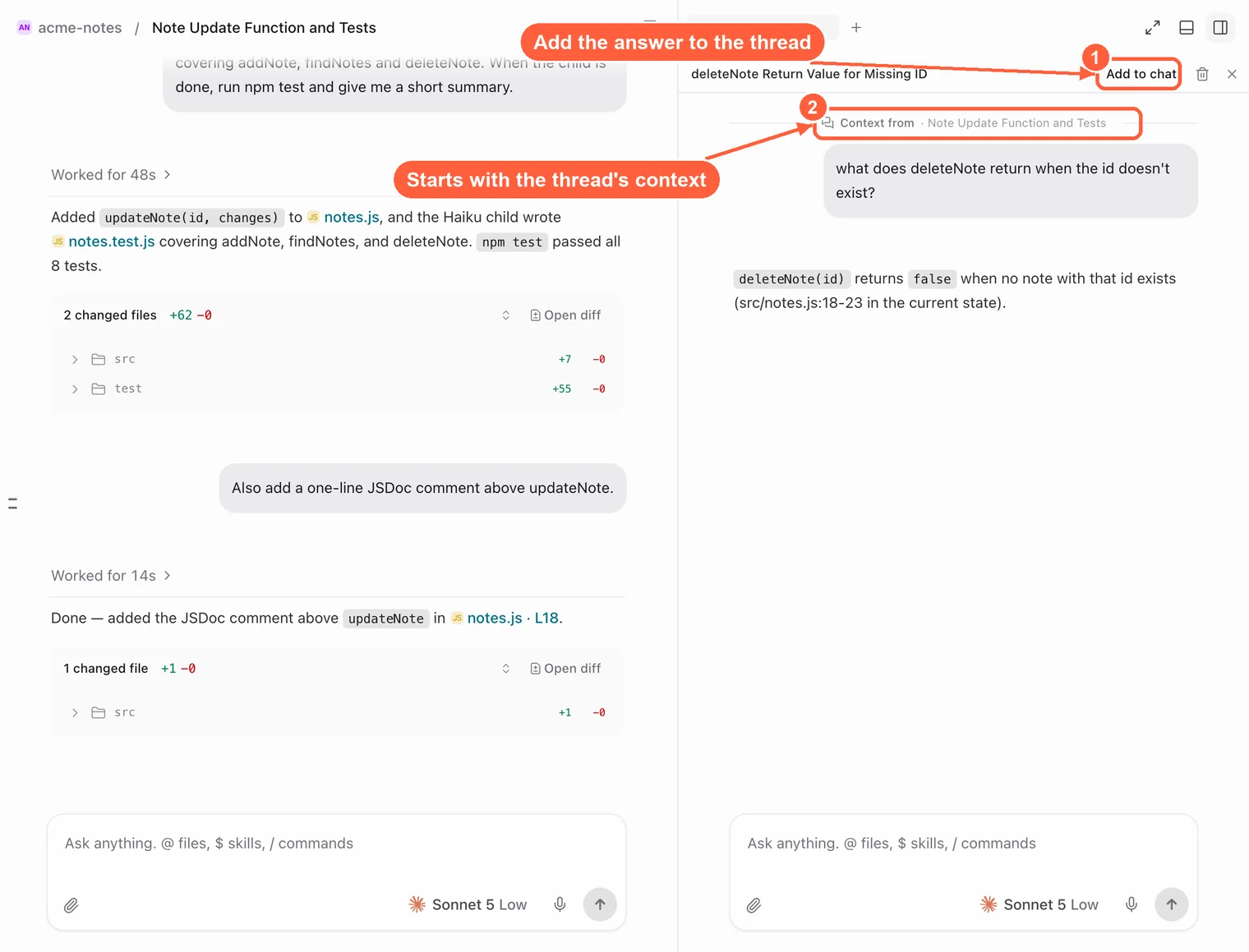
Side chats don’t appear in the sidebar. Find them again under Side chats in thread details.
Fork any thread
Under every reply there’s a Fork from this response icon. It makes a new thread with the conversation up to that point. It works on finished, failed, interrupted and usage-limited runs.
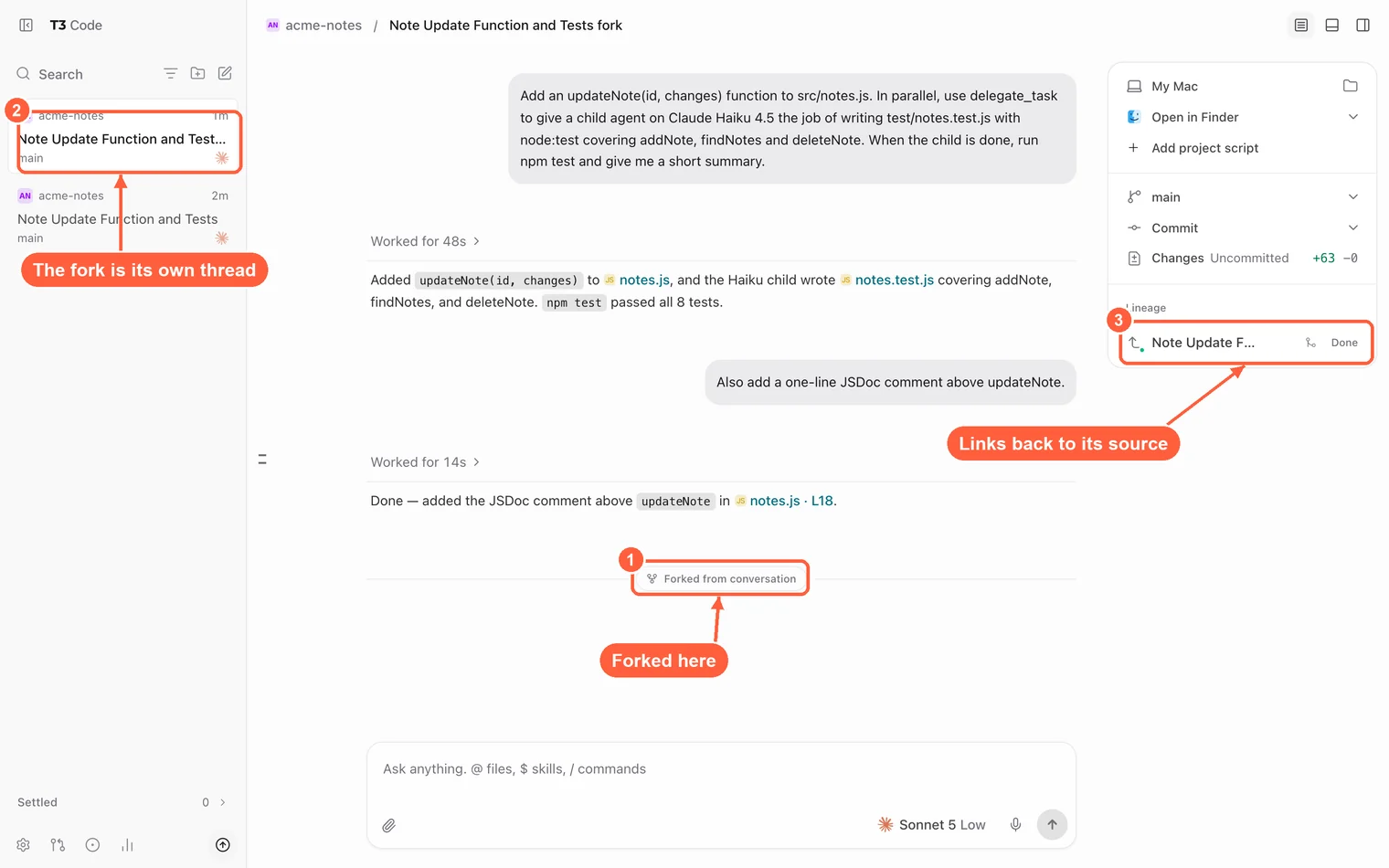
Forks stay on the same provider by default. Codex, Claude, Pi and OpenCode 2 use their own native fork, so the full history comes along. When you’re done, you can merge the fork’s context back into the source thread.
Switch model or agent mid-thread
Click the model name in the composer to change model, reasoning level or agent between turns. You can even queue a switch while a turn is still running.
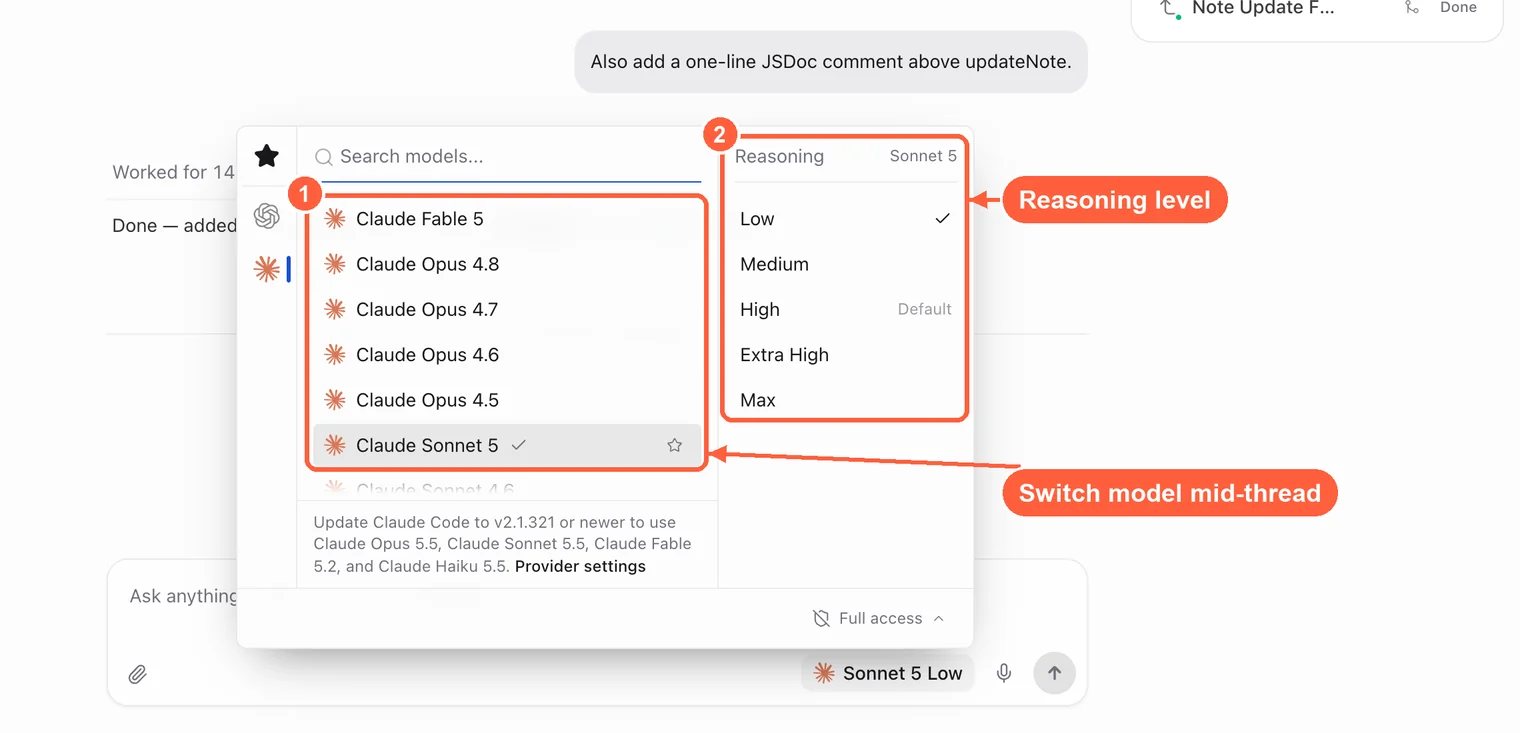
Switching agents is lossy. Changing the model within the same agent (say Sonnet to Opus) usually keeps the agent’s own session, so nothing is lost. Switching to a different agent (Claude to Codex) hands over a trimmed selection of messages, without the first agent’s reasoning, tool results or attachments. To get another agent’s help, delegate a task instead.
Scheduled tasks and usage limits
Settings → Scheduled tasks → New task runs a prompt on a schedule, for example a nightly dependency check.
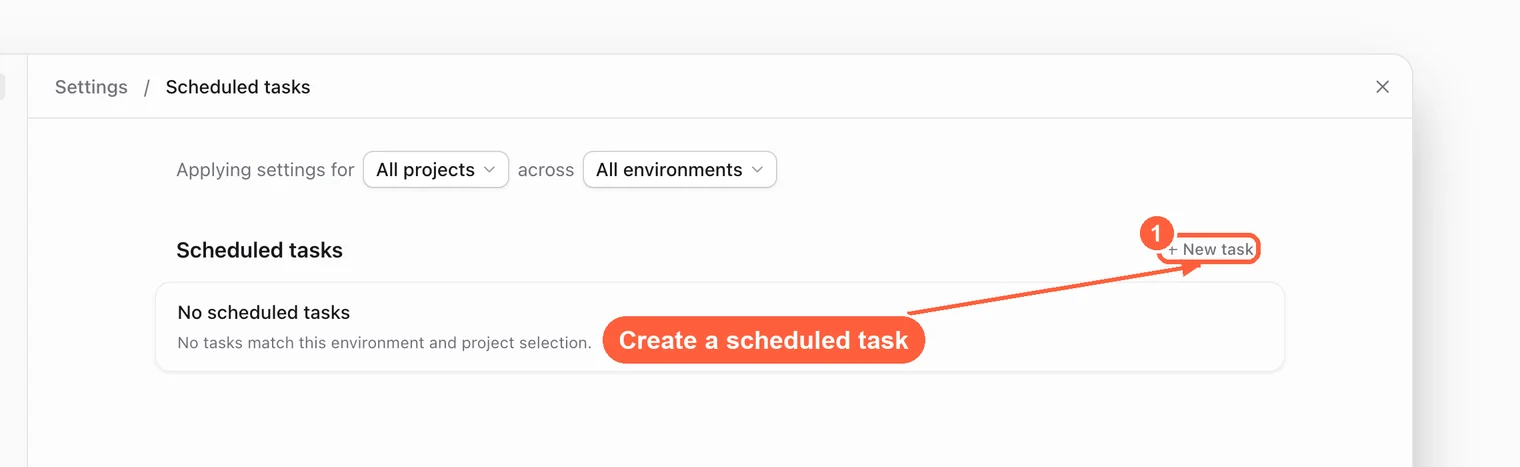
V2 also handles usage limits for you. When an agent stops on a limit and the provider reports a reset time:
- Resume at reset continues the turn when your allowance comes back.
- Snooze until reset hides the thread until then.
- To do this automatically, turn on Resume after usage limits in Settings → Threads. The machine must be running when the reset arrives.
More V2 changes worth knowing
- Threads survive restarts. With Settings → Maintenance → Continue threads after restarts on (the default), interrupted threads continue after an update, a crash or a reboot.
- Agents can manage threads. A built-in T3 Code MCP lets agents create, message, read, search, wait on and interrupt threads, and manage scheduled tasks. Agents can’t approve their own permission requests.
- Threads without a project. Click Start without a project for a quick task. It gets its own folder under
~/.t3/scratch. - Reference another thread. Type
@and part of a thread’s name, or drag a thread from the sidebar into the composer, to give the agent that thread as context. - More agents. V2 added Pi, Muse Code, OpenCode 2 and any agent from the ACP Registry. Cursor now runs on the official Cursor SDK.
Prompts to try
Delegate across agents:
Plan the refactor of the auth module, then use delegate_task to have a child agent on Codex implement it. Review its diff before you finish.Run work in parallel:
Use delegate_task to start two child agents: one writes unit tests for src/api, the other updates the README. Wait for both, then summarize.Ask without derailing:
/btw which files has this thread changed so far?Sources: the v0.1.0 release notes and the repo docs thread-sidebar.md, composer.md and portable-handoffs.md.
FAQ
What is T3 Code Orchestrator V2?
It's the rewrite of how T3 Code runs agents, which shipped as stable in v0.1.0. It changed how turns start, stop, queue and resume, how subagents and background work are tracked, how threads move between providers, and how history is saved.
How do I make one agent hand work to another in T3 Code?
Ask for it in plain words, for example "use delegate_task to have a child agent on Codex implement this". The agent starts a child thread on the provider and model you name, can wait for it or keep working, and wakes up when it finishes.
What is the difference between steer and queue?
Steer sends your message into the turn that is running right now. Queue saves it and sends it after the current turn ends. Set the default in Settings → Chat → Follow-up behavior; Cmd+Enter (Ctrl+Enter) uses the other one.
Can I switch from Claude to Codex in the middle of a thread?
Yes, but the handoff is lossy. The new agent gets a trimmed selection of messages, not the previous agent's reasoning, tool calls or attachments. To use another agent's help, delegate a task to it instead. Changing the model within the same provider usually keeps the session.
What is a side chat?
A separate chat that starts with what the thread knows, so you can ask a question without adding to the thread. Start one with /side or /btw. Use Add to chat to bring the answer back.
Do I need to do anything to get V2?
Update to v0.1.0 or newer. If you used T3 Code before that, follow the upgrade guide so threads migrate and every machine and app is on the same version.